

TinyFast
Effortlessly compress images, videos, and PDFs locally on your Mac with TinyFast for fast and secure file optimization.

About TinyFast
TinyFast is a cutting-edge macOS application tailored for developers, designers, and content creators seeking a reliable and efficient file compression solution. With a focus on speed and security, TinyFast empowers users to compress a diverse range of file formats, including images, videos, and documents, without the need for online uploads. By processing files locally, TinyFast ensures that sensitive information remains on your device, minimizing the risks associated with cloud storage and third-party services. The application features a user-friendly drag-and-drop interface, allowing for instant file compression that seamlessly integrates into any workflow. With over 500 satisfied Mac users already leveraging its capabilities, TinyFast stands out as an indispensable tool for anyone who values quick and secure file management.
Features
Batch & Drag-Drop Shrink
TinyFast allows users to drop entire folders for simultaneous compression, delivering optimized output in mere seconds. This batch processing feature saves valuable time, making it ideal for busy professionals who need to manage multiple files efficiently.
Blazing-Fast Compression
Utilizing optimized native engines, TinyFast achieves remarkable file size reductions in seconds. Users are freed from the delays of uploading and downloading files, ensuring they can maintain productivity without interruptions.
Resize Resolution
This feature lets users automatically resize the resolution of their images and videos during the compression process. By customizing the output dimensions, creators can ensure that their media is optimized for various platforms while minimizing file sizes.
100% Local & Private
TinyFast is designed with privacy at its core. All file processing occurs on the user's device, guaranteeing that confidential files are never uploaded to external servers. This commitment to local processing enhances security and peace of mind for users handling sensitive information.
Use Cases
Streamlining Workflows for Designers
Graphic designers can quickly compress numerous image files for web use, significantly speeding up the upload process while ensuring high-quality visuals. TinyFast's batch processing allows for efficient handling of large projects without sacrificing quality.
Video Production Optimization
Videographers often deal with large file sizes, which can slow down editing and sharing. TinyFast enables them to compress MP4 and MOV files rapidly, facilitating a smoother workflow and faster collaboration with clients or team members.
Document Management for Developers
Developers frequently share documentation in various formats, such as PDFs and DOCX files. TinyFast helps them compress these documents, making it easier to share and store files without cluttering their systems or compromising on clarity.
Audio File Compression for Musicians
Musicians and podcasters can benefit from TinyFast by reducing the size of their MP3 files before distribution. This feature ensures that they can share high-quality audio without overwhelming their storage or bandwidth limitations.
Frequently Asked Questions
Is TinyFast available for Windows or only for macOS?
TinyFast is specifically designed for macOS, offering optimized performance and user experience for Mac users. There are no current plans for a Windows version.
How does TinyFast ensure the privacy of my files?
TinyFast processes all files locally on your Mac, meaning that no data is uploaded to external servers. This design keeps your sensitive files secure and private.
Can I compress files in bulk with TinyFast?
Yes, TinyFast supports batch compression. Users can drag and drop entire folders, allowing for quick and efficient optimization of multiple files at once.
What file types does TinyFast support for compression?
TinyFast supports a wide variety of file types, including images (PNG, JPEG, GIF), videos (MP4, MOV), documents (PDF, DOCX), and audio files (MP3), making it a versatile tool for various content creators.
Similar to TinyFast

Egmatic
No-code 2D game editor: visual node logic, drag-and-drop scenes, live preview. Exports to Windows, macOS, Linux, Android, iOS, Web.

Product Launch Checklist
A free launch checklist for SaaS, apps, AI tools and more. Every step says why it matters and when you can skip it.

Kody Tools
Free collection of online developer utilities, code formatters, and digital converters designed to streamline your daily workflow.
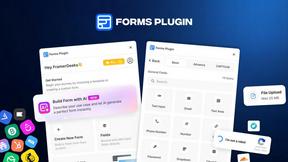
Forms Plugin
The #1 Native Form Builder Plugin for Framer - No Code, No Embeds, No External Platforms.


Qwen Image Edit
Prompt-based Qwen Image editing and generation for backgrounds, text, products, posters, outpainting, and creative styles.

