

Alternatives to Cece AI
Cece AI evolves your small business operations by handling emails, scheduling, invoices, and follow-ups through a single CC, freeing you to focus on.
Explore 20 alternatives to Cece AI. Compare features, pricing, and find the best fit for your needs.

Safe Outreach
AI-powered platform that evaluates the safety of LinkedIn automation tools and helps reduce the risk of account restrictions.
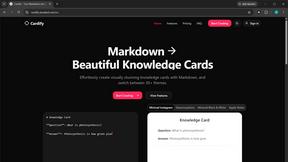
Cardify
Write Markdown, get a share-ready knowledge card. 30+ themes shown side by side, live preview, and PNG / SVG / PDF export for one card or a whole set.

How Long How Many Tool
Timers and hourly checks to figure how out long until a certain time or how many days away.

Memorable Contact
AI-powered personal CRM that remembers where you met people and what you talked about. Save, scan, and recall contacts instantly.


ButterShare
Realtime peer-to-peer file transfer in the browser. Send files directly between devices, no account and no upload to a server.

Emailyy
Free email tools for signatures, subject lines, HTML previews, word counts, and email headers. Browser-based, simple to use, and no signup required.
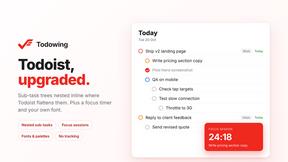
Todowing
Chrome extension that nests sub-tasks inline in Todoist's Today, Upcoming, Filter and Label views, with a focus timer and themes.
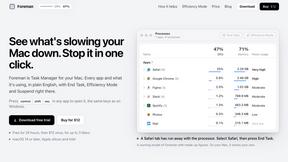
Foreman
See every app and what it's using in plain English, and end or slow down the one that's hogging your Mac.

Uniclip
Clip pages, take full-page screenshots and batch-capture list data to Notion, Feishu, Obsidian, Markdown, CSV or JSON.

TroveKey
Search tabs, Chrome bookmarks and history, run browser commands, and save webpages and social posts locally—no account.
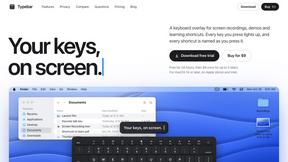
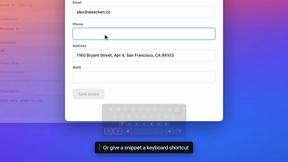
Typebar
Every key you press lights up on an on-screen keyboard, and each shortcut is named as you press it.

Notchpals
Little characters peek out of your Mac's notch to remind you to drink water, eat, sit up and get to bed. Quiet during calls. $4.99 once.

LightScreen
Free light screen tool online. Turn any display into a flashlight, ambient light, or solid-color screen. No download or sign-up.
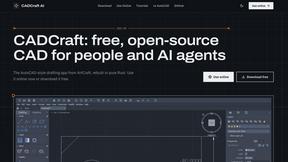
CADCraft
Free open-source 2D CAD in Rust with precision drafting, automation, and DWG/DXF/PDF/SVG/PNG support.
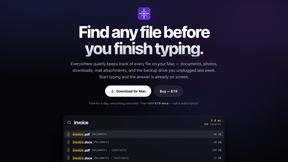
Everywhere
Fast file search for the Mac. Results as you type, files inside Mail and Photos, works with Wi-Fi off. $19 once.
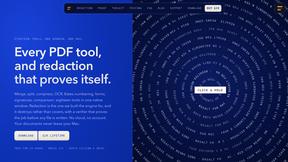
Basalt
Eighteen PDF tools in one native Mac window: merge, split, compress, OCR, Bates numbering, forms, signing and redaction. Offline. $29 once.

Voice Keyboard Pro
Hold a key, say what you mean, let go. Clean, punctuated text lands at the cursor in any app on your Mac or iPhone.
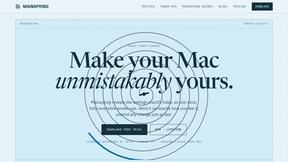
Mainspring
Mainspring turns the settings macOS hides into 90+ one-click, fully reversible power-ups for Finder, Dock, screenshots and more. $29 once.
About Cece AI Alternatives
Cece AI is a purpose-built AI executive assistant that operates directly within email, placing it squarely in the productivity and management category. It is designed to reduce administrative overhead for business owners by handling scheduling, customer responses, quoting, invoicing, and follow-ups without requiring a separate app or dedicated hire. Users commonly seek alternatives when they encounter pricing that feels steep for their current revenue, require deeper integrations with specific platforms like CRM or project management tools, or need a solution that supports more than just email-based workflows. Others may outgrow its capabilities as their business scales and demands more complex automation or team collaboration features. When evaluating an alternative, focus on how the tool aligns with your current operational stage and where you want to evolve next. Look for a solution that matches your preferred communication channel, whether that remains email or shifts to chat, voice, or a centralized dashboard. Consider the depth of customization available for pricing, workflows, and business rules, as well as the learning curve for your team. Most importantly, assess whether the alternative offers a clear path for growth, such as adding team members, integrating with your existing tech stack, or handling more sophisticated tasks without requiring you to switch platforms again in six months.
FAQs about Cece AI Alternatives
What is Cece AI?
Cece AI is an AI executive assistant that operates directly through email to handle administrative tasks for small business owners. It allows users to schedule meetings, respond to customers, create quotes, send invoices, and manage follow-ups by simply CCing Cece on an email. The tool is designed to turn messy email threads into completed tasks without requiring users to learn a separate platform or hire additional staff.
Who is Cece AI for?
Cece AI is built specifically for small business owners and entrepreneurs who are overwhelmed by email, admin work, and unfinished follow-ups. It is ideal for those who want to reduce the need for a full-time administrative hire but still need reliable support for daily execution. The tool works best for businesses where most operations, communication, and task management happen inside the inbox.
What are the main features of Cece AI?
Cece AI offers features including automated meeting scheduling, customer response drafting, quote creation, invoice sending, and reminder tracking. Users can set up their calendar, business profile, price book, and preferences in a dashboard, then execute tasks by CCing Cece on relevant emails. It also manages ongoing follow-ups to ensure no tasks or leads are dropped.
Is Cece AI secure?
Cece AI is designed with security in mind for business communications, though specific security protocols are not detailed in the provided description. As an AI assistant that handles sensitive business data like customer details, quotes, and invoices, it is reasonable to expect encryption and access controls. Users should review the platform's privacy policy and security documentation to confirm compliance with their industry standards.