

Alternatives to ComicsMaker
ComicsMaker turns your scene prompts into structured comic strips, manga panels, and storyboards you can refine and export.
Explore 20 alternatives to ComicsMaker. Compare features, pricing, and find the best fit for your needs.
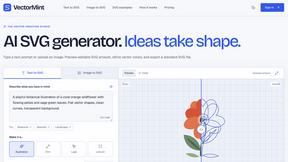
VectorMint
VectorMint turns text prompts and images into editable SVG artwork for icons, logos, illustrations, and line art.
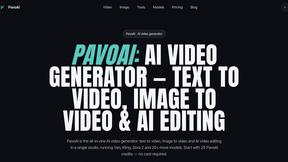
PavoAI
All-in-one AI video creation for text-to-video, image-to-video, editing, avatars, music, subtitles, and upscaling.

Rhinobird
AI video ads, UGC-style videos, and product visuals for cross-border sellers and e-commerce brands.

RemoveObjectFromPhoto
Remove unwanted objects, people, and text from photos with AI for clean, natural-looking results in seconds.

ImageAgent
Create and edit AI images through conversation, using text or reference images and refining results in chat.
GenX
All-in-one AI workspace to generate images, videos, and audio with multiple leading AI models.

AppIconGenerator
Generate iOS and Android app icons from any image and export all platform sizes for free.
AiAgeFilter
Free AI age filter: upload an adult portrait, add 10-40 years, meet your older self. No app needed.

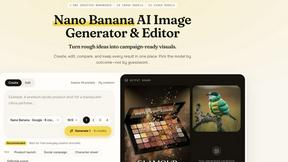
Nano AI
Create and edit AI images, generate videos, and compare models in one creative workbench.
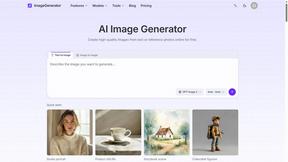
ImageGenerator
Create and edit AI images online with multiple models, text-to-image, image-to-image, background removal, and upscaling.

nanobanana 21
Fast, simple image studio powered by Nano Banana 2.1: accurate details, readable text, consistent characters, up to 14 reference images.
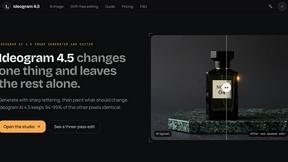
Ideogram AI 4.5
AI image generation and editing with precise typography, native 2K output, and localized edits.
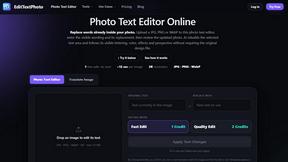
EditTextPhoto
AI-powered image text editor to edit, replace, fix, or translate text in images while preserving the original font, color, size, and style.
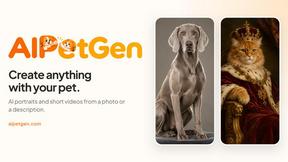
AIPetGen
AIPetGen turns a photo of your dog, cat, or other pet, or a written description, into a new picture or a short animation.



Genjutsu AI
Genjutsu AI turns ideas into cinematic videos, product ads, social shorts, and quality images in minutes. Built for TikTok, Reels, Shorts.

AI Album Cover Maker
Create release-ready album covers from a prompt or photo. Generate, refine, and export art for singles, EPs, mixtapes, and playlists.
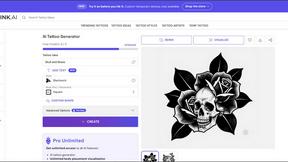
About ComicsMaker Alternatives
ComicsMaker is an AI comic maker and visual storytelling tool that belongs to the growing category of generative creativity platforms designed to turn text prompts into structured comic strips, manga panels, storyboards, and export-ready visual drafts. It serves creators, educators, marketers, and teams who need to move from an idea to a finished comic page quickly, offering control over layout, tone, reading flow, and style direction without requiring traditional drawing skills. Users commonly look for alternatives to ComicsMaker due to specific needs such as budget constraints, a desire for different pricing models like one-time payments versus subscriptions, or the need for more specialized features like advanced inking, collaborative real-time editing, or integration with specific publishing pipelines. Some users may also seek platforms with larger style libraries, different language support, or a simpler interface for younger audiences. When choosing an alternative to ComicsMaker, it is essential to evaluate how well the tool supports your core workflow from prompt to final export. Look for platforms that offer clear control over panel sequencing, character consistency, and style customization, as these are critical for professional-looking results. Consider the export formats available, such as PNG, PDF, or layered files, and whether the tool integrates with your existing design or publishing software. Pricing transparency is also key; determine if the alternative offers a free tier, a trial period, or a flat fee that aligns with your usage frequency. Finally, assess the learning curve and community support, as a tool that balances power with accessibility will help you grow from simple drafts to complex narrative projects over time.
FAQs about ComicsMaker Alternatives
What is ComicsMaker?
ComicsMaker is an AI-powered comic maker and comic strip maker designed to transform text prompts into visual stories, including comic panels, manga-style drafts, storyboards, and social-ready comic pages. It provides users with clear control over layout, tone, reading flow, and style direction, allowing for structured storytelling without starting from a blank canvas. The tool is built for creators, educators, marketers, and teams who need fast, professional-looking visual drafts for projects such as explainer comics, classroom materials, or campaign concepts.
Who is ComicsMaker for?
ComicsMaker is designed for a broad range of users including creators, educators, marketers, and teams who need to produce visual stories quickly. It is ideal for comic artists seeking rapid prototyping, teachers creating classroom visuals, marketers developing product storyboards or campaign concepts, and any professional who wants to move from an idea to a structured comic draft without traditional drawing skills. The workspace supports both beginners and experienced storytellers by removing the friction of starting from a blank page.
Is ComicsMaker free?
Based on the provided product information, ComicsMaker is described as a tool available for creators and teams, but specific pricing details such as whether it offers a free tier or trial are not explicitly stated. Users interested in cost should check the official ComicsMaker website or platform for the most current pricing plans, which may include free access with limited features or subscription-based models. It is common for AI comic generators to offer a free tier for basic usage, but this cannot be confirmed from the content provided.
What are the main features of ComicsMaker?
ComicsMaker offers features that allow users to turn prompts into comic panels, manga-style drafts, storyboards, and export-ready visual drafts with clear control over layout, tone, reading flow, and style direction. It functions as an AI comic generator and text-to-comic tool, enabling the creation of character moments, explainer comics, classroom visuals, product storyboards, and campaign concepts. The workspace is designed to help users move from an idea to a structured comic draft efficiently, without requiring a blank canvas or traditional art skills.