

Alternatives to SlabCalc
SlabCalc evolves from basic concrete calculators into an AI-powered tool that diagnoses cracks, analyzes quotes, and guides your project from.
Explore 20 alternatives to SlabCalc . Compare features, pricing, and find the best fit for your needs.

Safe Outreach
AI-powered platform that evaluates the safety of LinkedIn automation tools and helps reduce the risk of account restrictions.

Cardify
Write Markdown, get a share-ready knowledge card. 30+ themes shown side by side, live preview, and PNG / SVG / PDF export for one card or a whole set.
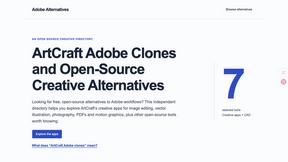
Adobe Alternatives
Explore open-source creative software by workflow, platform and development stage, with comparisons and official project links.

RemoveObjectFromPhoto
Remove unwanted objects, people, and text from photos with AI for clean, natural-looking results in seconds.

ImageAgent
Create and edit AI images through conversation, using text or reference images and refining results in chat.

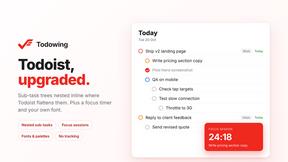
Todowing
Chrome extension that nests sub-tasks inline in Todoist's Today, Upcoming, Filter and Label views, with a focus timer and themes.

Uniclip
Clip pages, take full-page screenshots and batch-capture list data to Notion, Feishu, Obsidian, Markdown, CSV or JSON.

TroveKey
Search tabs, Chrome bookmarks and history, run browser commands, and save webpages and social posts locally—no account.

AppIconGenerator
Generate iOS and Android app icons from any image and export all platform sizes for free.
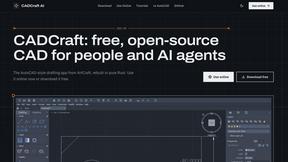
CADCraft
Free open-source 2D CAD in Rust with precision drafting, automation, and DWG/DXF/PDF/SVG/PNG support.

Budgetpixel AI
Create AI images, videos, music, and designs in one workspace with multiple models, powerful editing tools, and API access.

subtitle.im
Chrome extension for existing YouTube captions. Local OCR helps handle duplicates by your settings. Free 10-video trial; optional Pro.
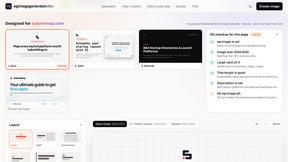
ogimagegenerator.dev
Paste a URL and AI designs on-brand Open Graph images from your page's colours, fonts and logo. Free, no sign-up.
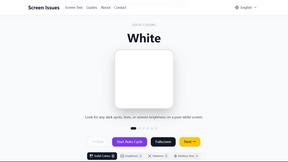
Screen Issues
Free Online Screen Test Tool - Instantly diagnose dead pixels, lines, color issues, and flickering. Multiple test modes, no download needed.

HookAds
Free ad creative hub: 1,750+ prompts behind viral AI ads, 118 hook frameworks, teardowns, swipe files and 27 free AI ad tools. Copy, remix, ship.

ImageGenerator
Create and edit AI images online with multiple models, text-to-image, image-to-image, background removal, and upscaling.

nanobanana 21
Fast, simple image studio powered by Nano Banana 2.1: accurate details, readable text, consistent characters, up to 14 reference images.

EditTextPhoto
AI-powered image text editor to edit, replace, fix, or translate text in images while preserving the original font, color, size, and style.
About SlabCalc Alternatives
Every project, whether a small backyard patio or a massive commercial foundation, begins with a single critical step: accurate estimation. SlabCalc has emerged as a powerful, free suite designed to streamline this process for contractors, builders, and DIYers, offering 34 specialized calculators and AI-driven tools for crack diagnosis and quote analysis. It sits at the intersection of construction design tools and real estate planning, providing a centralized platform for concrete volume, cost, and material planning. However, as your workflow evolves from simple slab pours to complex multi-phase builds, you might find yourself seeking alternatives that offer deeper integration with your existing project management software, more robust reporting capabilities for client presentations, or a different pricing model that aligns with your growing business volume. The search for an alternative is often a natural progression in your professional growth. You may need a tool that scales beyond the free suite’s capabilities, perhaps requiring advanced structural load calculations, API access for custom integrations, or a mobile-first experience that works flawlessly on a job site without an internet connection. When evaluating your next step, focus on the maturity of the tool’s ecosystem: does it offer seamless data export, team collaboration features, and ongoing support? Consider the depth of its material database, especially if you work with specialized mixes or regional aggregate variations. Also, assess the user interface—a tool that feels intuitive during a quick estimate might become a bottleneck when managing dozens of projects simultaneously. The ideal alternative will not just replace SlabCalc’s core functions but will accelerate your workflow from initial estimate to final pour, turning a functional tool into a strategic asset for your business.
FAQs about SlabCalc Alternatives
What is SlabCalc?
SlabCalc is a free, no-signup suite of 34 concrete calculators combined with AI-powered tools designed for contractors, builders, and DIYers. It provides instant answers for concrete projects by calculating volume in cubic yards and meters, pre-mix bag counts, total weight, and cost estimates, all with adjustable waste factors and imperial/metric toggles. Beyond basic calculations, it includes a Concrete Crack Analyzer for photo-based damage diagnosis and a Quote Analyzer to evaluate contractor bids.
Who is SlabCalc for?
SlabCalc is built for contractors, builders, and DIYers who need quick, accurate concrete estimates without the hassle of signing up or paying fees. It serves professionals managing multiple job sites who require instant calculations for slabs, driveways, footings, walls, and more, as well as homeowners tackling personal projects like patios or garage floors. The AI tools for crack analysis and quote review also make it valuable for property inspectors and homeowners evaluating existing concrete work or contractor proposals.
Is SlabCalc free?
Yes, SlabCalc is completely free to use with no signup required, making it accessible for anyone needing concrete calculations on demand. There are no hidden charges or premium tiers blocking access to its 34 calculators or AI-powered features like the Crack Analyzer and Quote Analyzer. The platform also offers free supplementary resources including cost-by-city pricing pages, expert guides, a concrete glossary, a Chrome extension, and embeddable widgets.
What are the main features of SlabCalc?
SlabCalc's main features include 34 specialized calculators covering slabs, driveways, patios, footings, foundations, walls, CMU block, columns, curbs, stairs, sonotubes, rebar, gravel, and garage and basement floors. Each calculator returns volume in cubic yards and meters, pre-mix bag counts for 40/50/60/80 lb bags, total weight, and a cost estimate with an adjustable waste factor. Additionally, it offers AI tools: a Concrete Crack Analyzer that diagnoses damage severity and provides DIY-or-engineer advice, and a Quote Analyzer that breaks down contractor bids and flags red flags, plus a Chrome extension and embeddable widgets for easy access.