

Alternatives to Subclip
Subclip simplifies video editing by using AI to auto-generate subtitles, remove silences, and dub in multiple languages, saving you time and effort.
Explore 8 alternatives to Subclip. Compare features, pricing, and find the best fit for your needs.

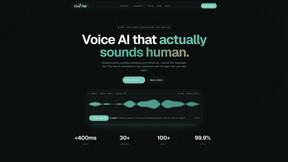
Oravaa
Oravaa evolves your customer engagement with human-like Voice AI that qualifies leads, resolves support, and books appointments around the clock.

Hush Touch | Voice-to-Text for MacOS
Hush Touch evolves your Mac dictation with smarter, on-device voice-to-text that learns your vocabulary.

Glossa
Glossa evolves your church with real-time AI translation to instantly connect your global congregation.

Bantr: Offline & Unlimited TTS for Mac
Bantr offers unlimited offline text-to-speech on Mac with natural voices, ensuring privacy and no subscriptions needed.

KaiCalls
KaiCalls is your 24/7 AI phone agent that captures leads and books appointments automatically.

Vowen
Vowen transforms your voice into a powerful AI assistant that streamlines your workflow through dictation and.

Bargou One
Bargou One transforms your ideas into stunning videos and music, enhancing creativity through intuitive chat.
About Subclip Alternatives
Subclip is an AI-powered video editor designed to simplify the video production process for creators, marketers, and educators. It falls under the category of speech and voice editing tools, harnessing advanced technology to make video editing as straightforward as editing a document. Users can easily edit their videos by manipulating transcripts, making the entire experience more intuitive and efficient. Despite the benefits Subclip offers, users often seek alternatives due to various reasons such as pricing structures, specific feature sets, or compatibility with different platforms. When exploring alternatives, it is crucial to consider factors like ease of use, the comprehensiveness of features, the scalability of pricing plans, and the overall support provided. Evaluating these aspects will help users find a solution that not only meets their editing needs but also aligns with their growth aspirations.
FAQs about Subclip Alternatives
What is Subclip?
Subclip is an AI-powered video editing tool that allows users to edit videos in a seamless and intuitive manner. By utilizing transcripts, users can easily manipulate video content, making it accessible for creators, marketers, and educators alike. With features like voice cloning, auto-subtitles, and multi-language dubbing, Subclip streamlines the video editing process.
Who is Subclip for?
Subclip is designed for a diverse range of users, including YouTubers, podcasters, course creators, and content teams. Its user-friendly interface and AI-driven features make it suitable for anyone looking to enhance their video production workflow. Whether you're a beginner or an experienced editor, Subclip caters to various skill levels and needs.
Is Subclip free?
Subclip offers a freemium pricing model, which includes a free tier that allows users to explore its basic features without any cost. For those who require more advanced capabilities, affordable paid plans are available. This structure enables users to choose the plan that best fits their editing needs and budget.
What are the main features of Subclip?
Subclip boasts a range of powerful features designed to simplify the video editing process. Key functionalities include transcription, auto-subtitle generation, voice cloning, silence removal, and multi-language dubbing. These features work together to enhance the editing experience and save users valuable time, allowing them to focus on creativity.