
AI Photo Generator vs Shrinkpad
Side-by-side comparison to help you choose the right tool.


Shrinkpad
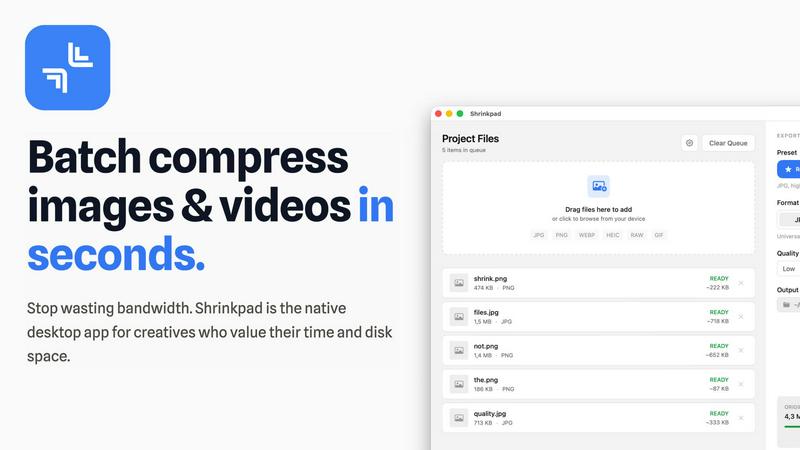
Shrinkpad quickly and effortlessly batch compresses images and videos on Mac, optimizing your assets with precision.
Last updated: February 28, 2026
Visual Comparison
AI Photo Generator

Shrinkpad
Overview
About AI Photo Generator
About AI Photo Generator
Transform Your Ideas into Visual Reality
AI Photo Generator (aiphotogenerator.dev) is an industry-leading creative platform that harnesses the power of advanced neural networks to turn simple text and photos into professional-grade digital art. We believe that creativity shouldn't be limited by technical skill, so we built a tool that makes high-end design accessible to everyone.
What Sets Us Apart?
Prompt-to-Masterpiece: Our fine-tuned AI models interpret your natural language prompts with high accuracy, delivering images that match your vision—from the lighting and composition to the smallest details.
Infinite Style Library: Whether you need ultra-realistic photography, vibrant anime aesthetics, classic oil paintings, or futuristic 3D renders, our platform offers a massive library of styles to suit any project.
Seamless Photo Transformation: Beyond text, you can upload existing images to restyle them. Turn a simple selfie into a professional LinkedIn headshot or an epic cinematic character.
Lightning-Fast Processing: Stop waiting for renders. Our optimized cloud architecture ensures your images are generated in seconds, not minutes.
Who Is It For?
Content Creators: Generate unique, copyright-free thumbnails and social media assets.
Marketers & Entrepreneurs: Create stunning visuals for ads, websites, and presentations on a budget.
About Shrinkpad
Shrinkpad is an innovative desktop application tailored for macOS users seeking to efficiently batch compress images and videos. This powerful tool empowers photographers, designers, content creators, and anyone handling large media files to streamline their workflows. By allowing users to drop hundreds of files or entire folders, Shrinkpad simplifies the compression process, enabling significant reductions in file sizes within seconds. With a focus on privacy, all processing occurs locally on the user's device, eliminating the need for internet connections and safeguarding sensitive files. Supporting over 50 file formats, including JPG, PNG, MP4, and MOV, Shrinkpad integrates seamlessly into diverse workflows, offering both preset quality options and customizable settings for optimal results. In a world where disk space and loading times are increasingly critical, Shrinkpad becomes an indispensable asset for those looking to optimize their digital content without compromising quality.