
Imgezy vs MyImageUpscaler
Side-by-side comparison to help you choose the right tool.

Imgezy
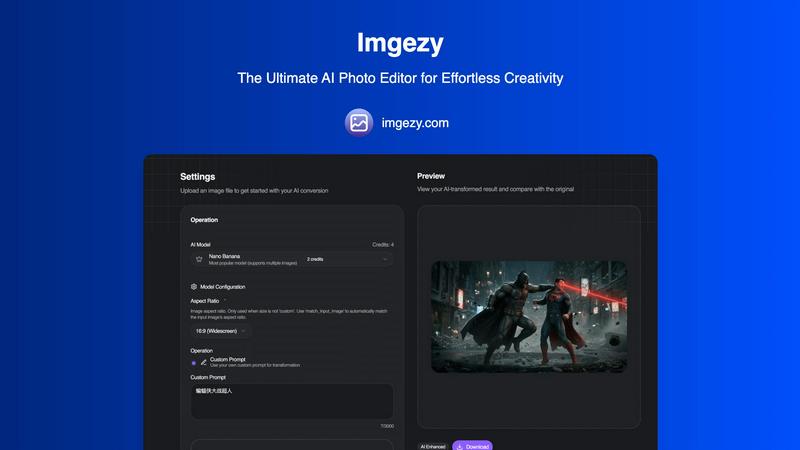
Imgezy is an AI photo editor that transforms images by removing objects and changing backgrounds effortlessly.
Last updated: February 28, 2026

MyImageUpscaler
MyImageUpscaler evolves your photos with AI, enhancing and sharpening them in seconds.
Last updated: February 28, 2026
Visual Comparison
Imgezy
MyImageUpscaler

Feature Comparison
Imgezy
Object Removal
Imgezy's object removal feature allows users to eliminate unwanted elements from their photos seamlessly. Whether it's distracting tourists, power lines, or photobombers, the AI intelligently identifies and removes these objects while reconstructing the background with pixel-perfect accuracy. This ensures that your images look clean and professional without any noticeable traces of the edits.
Background Replacement
With Imgezy, changing the background of your images has never been easier. Users can replace backgrounds instantly, choosing from solid colors to breathtaking landscapes. This feature allows for creative freedom, enabling users to transform the context of their photos dramatically and enhance the overall aesthetic.
Photo Enhancement
Imgezy offers automatic photo enhancement capabilities that improve the overall quality of your images. The AI enhances colors, adjusts lighting, and sharpens details, ensuring that your photos pop with vibrancy. This feature is perfect for anyone looking to elevate their images without extensive manual adjustments.
Batch Processing
For users working on large projects, Imgezy provides a batch processing feature that allows you to edit multiple photos simultaneously. This saves significant time and effort, making it an essential tool for professionals who need to manage high volumes of images efficiently.
MyImageUpscaler
Advanced AI Detail Preservation
This is the core intelligence of the platform. The AI doesn't just stretch pixels; it analyzes your image to understand textures, edges, and patterns. It then reconstructs and enhances fine details during the upscaling process, ensuring results are crisp and natural-looking rather than blurry or artificially sharpened. This sophisticated preservation is what separates professional-grade upscaling from basic interpolation, making your enhanced images ready for close inspection.
Rapid Batch Processing
Efficiency evolves with scale. MyImageUpscaler allows you to process up to 500 images in a single batch, with each image typically enhanced in under 10 seconds. This feature is designed for the growth stage where manual editing becomes impossible, perfect for photographers with large shoots, e-commerce stores updating entire catalogs, or agencies preparing comprehensive marketing suites, turning a days-long task into a matter of minutes.
Platform-Optimized Presets
As your content strategy matures and diversifies across channels, MyImageUpscaler provides tailored presets for major platforms like Amazon, Instagram, YouTube, and TikTok. These presets intelligently adjust the enhancement parameters to meet the specific technical and aesthetic requirements of each platform, ensuring your images are optimized for engagement and performance wherever they are published, streamlining your cross-platform workflow.
Flexible & Secure Cloud Workflow
The platform supports your operational evolution with a secure, cloud-based workflow. It offers a generous free tier with 10 credits and no watermarks, allowing you to test and integrate the tool at zero cost. All processed images are auto-deleted after a period (7-30 days depending on your plan), ensuring data privacy and helping you manage your digital assets cleanly as your project volume grows.
Use Cases
Imgezy
Social Media Content Creation
Imgezy is ideal for social media influencers and content creators looking to enhance their visual presence. With its quick editing capabilities, users can produce eye-catching images that attract more engagement and followers, making their profiles stand out.
E-commerce Product Photography
Online retailers can leverage Imgezy to enhance product images for their catalogs. By removing distracting backgrounds and improving image quality, e-commerce businesses can present their products in the best light, ultimately boosting sales and conversions.
Personal Photo Editing
For individuals wanting to enhance their personal photos, Imgezy makes it easy to edit vacation snapshots, family portraits, and more. Users can quickly remove unwanted objects or change backgrounds to create memorable keepsakes without the need for advanced editing skills.
Marketing and Advertising
Imgezy serves as a powerful tool for marketers who need to create compelling visuals for campaigns. With the ability to produce high-quality images quickly, marketers can save time and resources while ensuring that their promotional materials are visually appealing and effective.
MyImageUpscaler
E-commerce Catalog Enhancement
Online sellers can evolve their storefronts by upscaling low-resolution supplier images or old product photos. MyImageUpscaler breathes new life into these assets, creating crisp, detailed images that meet modern marketplace standards (like Amazon's requirements), reducing returns from misleading visuals and directly boosting conversion rates with superior presentation that builds customer trust.
Social Media Content Scaling
Content creators and social media managers can repurpose a single high-quality image across multiple platforms without degradation. By upscaling master images, they can create perfect fits for Instagram feeds, YouTube thumbnails, and TikTok videos, maintaining a sharp, professional brand aesthetic consistently. This allows for scalable content creation from a core asset library.
Real Estate Listing Preparation
Real estate agents can elevate their listings by enhancing property photos. The AI can improve details in both interior shots (like textures on countertops or fabrics) and exterior views, making MLS listings and marketing brochures more compelling. This professional presentation can shorten time-on-market by attracting more serious buyer interest from the first click.
Photographic Batch Post-Processing
Photographers handling large volumes of images from events or studio sessions can use batch processing to upscale entire sets efficiently. This is ideal for preparing client galleries for high-resolution printing or creating web-optimized versions from RAW files without lengthy manual editing, allowing them to take on more clients while delivering superior quality.
Overview
About Imgezy
Imgezy is the ultimate AI-powered photo editing tool that revolutionizes how users approach image enhancement. Whether you are an amateur enthusiast or a seasoned professional, Imgezy simplifies the photo editing journey, empowering you to create stunning visuals with just a few clicks. Its intuitive interface allows users to edit images using plain language commands, making it accessible for everyone, regardless of their design experience. The main value proposition of Imgezy lies in its ability to deliver professional-quality edits in mere seconds, eliminating the complexities often associated with traditional photo editing software. Trusted by over 200,000 users worldwide, Imgezy leverages advanced AI technology to perform tasks like object removal and background changes effortlessly. This innovative tool is designed to cater to a wide array of applications, from enhancing personal photos for social media to preparing high-quality images for commercial use. With Imgezy, everyone can unleash their creativity and achieve remarkable results.
About MyImageUpscaler
MyImageUpscaler represents the next stage in the evolution of digital content creation, transforming how professionals approach image quality. It's an AI-powered platform designed to intelligently enhance and upscale images by 2x to 4x, moving beyond simple resizing to actively reconstruct and refine details. This tool is built for the growth journey of modern businesses and creators, from the solo entrepreneur launching their first online store to the established marketing team scaling branded content across global platforms. Its core value proposition lies in its ability to future-proof your visual assets, allowing you to rescue low-resolution photos, adapt legacy images for modern high-definition displays, and maintain a consistent, professional standard as your brand expands. By preserving critical sharpness and enhancing fine details where it matters most, MyImageUpscaler ensures your product images, marketing materials, and social media content always present your work in the best possible light, eliminating a common bottleneck in the content production pipeline and enabling you to scale your visual output without compromising on quality.
Frequently Asked Questions
Imgezy FAQ
What types of images can I edit with Imgezy?
Imgezy supports all major image formats, including JPG, PNG, and WebP, allowing users to edit a wide variety of photos.
How long does it take to edit an image?
Imgezy's AI processes edits in seconds, enabling users to receive professional-quality results almost instantly without the need for extensive manual work.
Is there a limit to how many images I can edit?
The number of images you can edit depends on the plan you choose. Imgezy offers various subscription tiers that provide different credit limits for editing images.
Do I need any design skills to use Imgezy?
No, Imgezy is designed for users of all skill levels. You can edit your photos using simple language commands, making it accessible even for those without any design experience.
MyImageUpscaler FAQ
How does MyImageUpscaler's AI differ from simple resizing?
Simple resizing, like in basic photo editors, uses mathematical interpolation to guess new pixels, often resulting in a blurry or pixelated image. MyImageUpscaler's AI is trained on millions of images to understand context and detail. It intelligently reconstructs textures, sharpens edges, and adds plausible details during the upscaling process, producing a result that looks naturally high-resolution.
What does "auto-delete after 7-30 days" mean?
This is a privacy and storage management feature. After you upscale an image, the processed file is stored on our secure servers for a limited time for your convenience. It is automatically and permanently deleted from our systems after this period (7 days for free tier, 30 days for paid plans). You should download your enhanced images to your own device during this window.
Are the upscaled images suitable for professional printing?
Yes, absolutely. The 4x upscaling option, combined with the advanced detail preservation, is specifically designed to increase resolution for print media. It can transform a digital photo into a file suitable for high-quality marketing materials, large-format posters, or product packaging, provided the original image is of reasonable quality to begin with.
Can I use the free tier for commercial projects?
Yes, you can. The free tier, which includes 10 credits with no credit card required, does not place watermarks on your images and imposes no restrictions on commercial use. It's an excellent way to test the platform's capabilities on real projects. For ongoing commercial needs, paid plans offer more credits and longer file retention.
Alternatives
Imgezy Alternatives
Imgezy is an innovative AI-powered photo editing tool that allows users to enhance their images with ease. It caters to a wide range of users, from casual photographers to professional creatives, by simplifying complex editing tasks and making them accessible through plain language commands. Despite its advanced features, users often seek alternatives for various reasons, including pricing considerations, specific feature requirements, or compatibility with different platforms. When searching for an alternative to Imgezy, it is essential to identify what features are most important to you, such as object removal capabilities, background editing options, or user interface design. Additionally, consider whether the tool fits your budget and meets your specific editing needs, ensuring it aligns with your creative goals.
MyImageUpscaler Alternatives
MyImageUpscaler is a leading AI-powered image enhancement tool in the productivity and management category, designed to intelligently upscale and refine photos for professional use. It represents a significant evolution in how businesses and creators handle visual assets, moving from manual, time-consuming edits to automated, high-quality processing in seconds. Users often explore alternatives at different stages of their growth, seeking solutions that better match their evolving budget, specific feature requirements like unique platform integrations, or different workflow volumes. The search for a new tool is a natural part of scaling any visual content operation. When evaluating other options, consider core needs like output quality consistency, processing speed for your batch sizes, and the true long-term cost. The right tool should not only solve today's problem but also support your next stage of growth, ensuring your image workflow scales seamlessly with your ambitions.