
invoice Sonic vs Receipt Generator
Side-by-side comparison to help you choose the right tool.

InvoiceSonic lets you create professional invoices in seconds, empowering freelancers and small businesses to thrive.
Last updated: February 28, 2026

Receipt Generator
Generate realistic custom receipts in seconds with over 400 templates, perfect for business or personal use, all for free.
Last updated: April 4, 2026
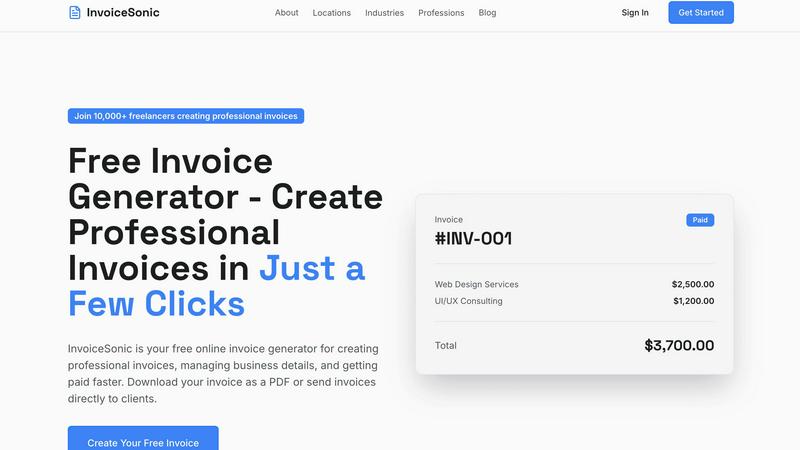
Visual Comparison
invoice Sonic
Receipt Generator

Feature Comparison
invoice Sonic
Unlimited Free Invoices
InvoiceSonic offers users the ability to create unlimited free invoices, making it accessible for freelancers and small businesses. Users can generate up to 5 invoices per month without any hidden fees or credit card requirements, allowing them to manage their invoicing without financial commitments.
Professional Invoice Templates
The platform features a wide selection of professionally designed invoice templates suitable for various industries and business types. Users can select templates that align with their brand identity, ensuring that each invoice is not only functional but also visually appealing.
Instant PDF Download
With InvoiceSonic, users can download their invoices as PDF files instantly. This feature enhances efficiency by allowing businesses to send invoices directly to clients without delay, ensuring prompt payments and a streamlined invoicing process.
Automatic Calculations
InvoiceSonic automatically calculates totals, taxes, and balances as users input their data. This feature reduces the risk of errors in financial calculations and saves time, enabling users to focus on their core business activities.
Receipt Generator
Extensive Template Library
Receipt Generator boasts a collection of over 400 professionally designed receipt templates covering various industries such as retail, restaurants, and pharmacies. Users can choose templates tailored to specific stores, ensuring relevance and authenticity.
AI "Place in Scene" Feature
This innovative feature allows users to generate photorealistic images of their receipts on surfaces like desks, counters, and wallets. It eliminates the need for physical printing while providing realistic visuals for content creators and documentation purposes.
Customization Options
Users have complete control over every element of their receipts. They can edit store information, line items, prices, taxes, and payment methods, ensuring the final product meets their precise specifications and looks professional.
Instant Download Capability
Receipt Generator offers instant downloads of high-resolution PNG or PDF files. Users can export their completed receipts without any delays, making it an efficient tool for urgent needs and documentation.
Use Cases
invoice Sonic
Freelancers Managing Multiple Clients
Freelancers can utilize InvoiceSonic to create customized invoices for each of their clients. The ability to personalize invoices with business logos and specific service descriptions ensures that each client receives a professional document that reflects the freelancer's brand.
Startups Handling Initial Financial Transactions
Startups often face the challenge of establishing a professional image while managing budgets. InvoiceSonic allows new businesses to generate professional invoices quickly, helping them maintain a credible presence in the market without incurring additional costs.
Small Businesses Automating Billing Processes
Small businesses can streamline their billing processes by using InvoiceSonic to generate and send invoices automatically. The platform supports recurring billing, making it easier for businesses to manage subscriptions and ongoing services without manual intervention.
Consultants Providing Proposals and Invoices
Consultants can use InvoiceSonic to create proforma invoices that serve as quotes for potential clients. This feature allows consultants to present estimates in a professional format, enhancing their chances of securing contracts while maintaining clear communication about costs.
Receipt Generator
Small Business Documentation
Small business owners can leverage Receipt Generator to create professional receipts that document transactions for sales, expenses, and refunds. This helps maintain accurate records for accounting and tax purposes.
Freelance Invoicing
Freelancers can use the platform to generate customized receipts for their services, providing clients with detailed documentation of payments made. This enhances professionalism and transparency in business dealings.
Content Creation
Content creators can utilize the AI "Place in Scene" feature to generate realistic images of receipts for blog posts, social media, or marketing materials. This adds authenticity to their content and showcases their products effectively.
Personal Expense Tracking
Individuals can create receipts for personal purchases and expenses to keep track of their spending. This feature is especially useful for budgeting and managing household finances more effectively.
Overview
About invoice Sonic
InvoiceSonic is an innovative, free invoice generator tailored for freelancers, small businesses, and startups looking to simplify their invoicing process. By providing a user-friendly interface, InvoiceSonic enables users to create polished and professional invoices in mere minutes. This eliminates the hassles associated with outdated software and clunky spreadsheets. The platform boasts a diverse library of beautifully designed invoice templates that cater to various industries, allowing businesses to reflect their unique brand identity while maintaining professionalism. With no hidden fees or subscription requirements, InvoiceSonic empowers thousands of users to manage their invoicing with ease. Whether you require a standard invoice, a proforma invoice, or a customized template featuring your logo, InvoiceSonic streamlines the process, helping you get paid faster and more efficiently. Join the growing community of over 10,000 freelancers and business owners who trust InvoiceSonic to handle their invoicing needs effortlessly.
About Receipt Generator
Receipt Generator is a comprehensive online tool designed for effortless receipt creation. It offers over 400 store-specific templates, including popular retailers like Walmart, Target, and Starbucks. Users can easily customize every aspect of their receipts, from items and prices to payment methods and dates, providing a personalized touch for various needs. This tool is particularly beneficial for small business owners, freelancers, content creators, and resellers across the globe who require efficient documentation for purchases and expenses. The standout feature, AI "Place in Scene," allows users to generate photorealistic images of their receipts on various surfaces without the need for printing, making it an ideal solution for inventory documentation and visual projects. With no account required to start and lightning-fast performance, Receipt Generator ensures users can create, download, and utilize professional receipts in just seconds.
Frequently Asked Questions
invoice Sonic FAQ
Is InvoiceSonic really free to use?
Yes, InvoiceSonic offers a free tier that allows users to create up to 5 invoices per month without any hidden fees or credit card requirements. This makes it a cost-effective solution for freelancers and small businesses.
Can I customize my invoices with my logo?
Absolutely! InvoiceSonic allows users to add their business details and logo to invoices, ensuring that each document reflects their unique brand identity and maintains a professional appearance.
How do I download my invoices?
Once you create an invoice using InvoiceSonic, you can instantly download it as a PDF file. This feature enables you to send invoices directly to clients without any delays.
What types of invoices can I create with InvoiceSonic?
InvoiceSonic allows users to create various types of invoices, including standard invoices, proforma invoices, and customizable invoice templates. This versatility ensures that users can meet their specific invoicing needs effectively.
Receipt Generator FAQ
How does Receipt Generator work?
Receipt Generator operates in three simple steps: select a template, customize the details, and download the finished receipt. This streamlined process allows users to create receipts in under a minute.
Is there a cost associated with using Receipt Generator?
Receipt Generator offers a free tier with watermarked downloads. Users can opt for a Pro plan that unlocks unlimited downloads, custom templates, and additional AI credits for a fee.
Do I need to create an account to use Receipt Generator?
No, Receipt Generator does not require users to create an account to start using the tool. This feature encourages quick access and convenience for all users.
What types of receipts can I create with Receipt Generator?
Users can create various types of receipts, including those from retail stores, restaurants, pharmacies, and more. The extensive template library ensures that users can find a suitable option for their needs.
Alternatives
invoice Sonic Alternatives
Invoice Sonic is a powerful, free invoice generator tailored for freelancers, small businesses, and startups. By simplifying the invoicing process, it allows users to create stunning, professional invoices in just a few clicks. As a productivity and management tool, Invoice Sonic has gained popularity for its user-friendly interface and diverse template options. Despite its strengths, users often seek alternatives due to various reasons, including pricing, specific feature requirements, or the need for integration with other platforms. When choosing an alternative, it's essential to consider factors such as ease of use, customization options, and the ability to meet the unique invoicing needs of your business. A good alternative should also maintain the same level of professionalism in invoice presentation while offering flexibility in features and pricing.
Receipt Generator Alternatives
Receipt Generator is a powerful online tool designed for users seeking to create custom receipts quickly and efficiently. Falling under the category of productivity and management, it offers an extensive library of over 400 store-specific templates, allowing for tailored receipt generation to meet various needs. Users often search for alternatives due to factors such as pricing structures, feature sets, or specific platform compatibility that may not align with their requirements or preferences. When exploring alternatives to receipt generation tools, it's essential to consider aspects like customization options, ease of use, and the availability of features that enhance productivity. Additionally, evaluating the performance speed and download capabilities can significantly influence user experience. Ultimately, the right alternative should cater to individual needs while supporting growth and efficiency in various projects.