
Nabbed vs SupaSidebar
Side-by-side comparison to help you choose the right tool.

Nabbed is your career CRM that helps revenue professionals manage their job search like a high-stakes sales pipeline.
Last updated: April 13, 2026

SupaSidebar
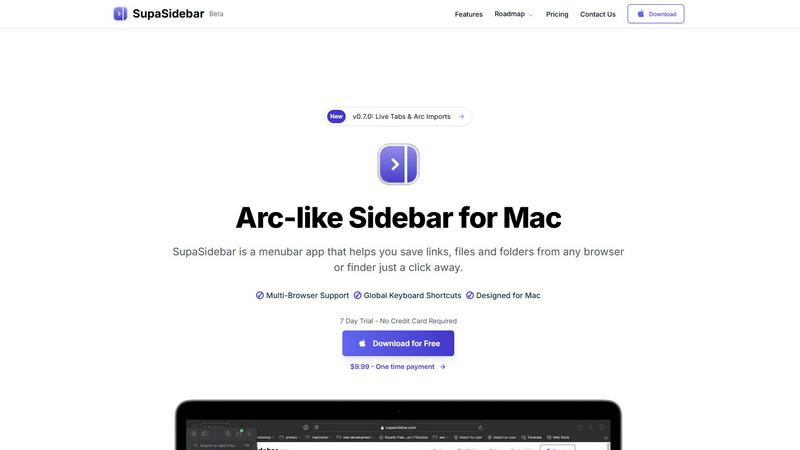
SupaSidebar streamlines your Mac experience with quick access to links, files, and folders from any browser or app.
Last updated: February 28, 2026
Visual Comparison
Nabbed

SupaSidebar
Feature Comparison
Nabbed
Dual Sales Pipelines
Manage your entire job search through two interconnected, HubSpot-style Kanban boards: one for job applications and another for networking contacts. Drag and drop opportunities through custom stages like "Tracking," "Outreach," "Discovery," and "Closed Won." This visual system provides clear momentum tracking and velocity analytics, allowing you to forecast your career move with the same accuracy you forecast sales deals, ensuring no critical follow-up falls through the cracks.
AI Career Suite
Accelerate every stage of your application with a suite of four AI-powered tools designed to write in your voice. Instantly generate tailored cover letters, optimize your resume for specific job descriptions, prepare for interviews with simulated coaching, and craft compelling outreach emails. This suite turns hours of manual preparation into seconds of strategic output, ensuring you present your best self consistently and efficiently across all applications and communications.
Chrome Extension with ATS Autofill
Supercharge your workflow directly from the browser. The free Nabbed Chrome extension lets you one-click save jobs from any site, automatically capture contact details from LinkedIn, and, for Core users, autofill applications on 60+ ATS platforms like Greenhouse, Lever, and Workday. It also enables stealth apply modes and places a tracking pixel on your sent emails, bringing real-time data on recruiter engagement directly into your pipeline dashboard.
Company Intelligence & Hiring Alerts
Automatically enrich every saved job and target company with vital intelligence, including funding status, employee headcount, tech stack, and Glassdoor ratings. More importantly, Nabbed proactively monitors your target accounts for hiring signals—like growth announcements or new funding rounds—and alerts you. This allows you to time your outreach perfectly, acting on trigger events just as you would in a sales cycle to get ahead of the competition.
SupaSidebar
Seamless Browser Integration
SupaSidebar is designed to work flawlessly with all major browsers, including Safari, Chrome, Firefox, Arc, and Brave. This integration ensures that users can save and access their favorite links and files from any browsing environment, providing a unified experience across platforms.
Global Keyboard Shortcuts
The application features customizable global keyboard shortcuts that facilitate quick actions. Users can save URLs or copy links with simple keystrokes, such as ⌘ + ⌃ + S for saving and ⌘ + ⌃ + C for copying. This feature significantly enhances productivity by reducing the time spent navigating through menus.
Recents Tracking
SupaSidebar automatically tracks and displays recently visited websites for up to 48 hours. This feature allows users to easily revisit sites they have accessed in the recent past, eliminating the hassle of searching through bookmarks or browser history.
Favorites and Organization
Users can pin their most important links and files at the top of the sidebar for quick access. This organization feature makes it easy to prioritize frequently used resources, ensuring that essential information is always just a click away.
Use Cases
Nabbed
The Strategic Job Seeker in Active Search
A sales director aiming for a VP role uses Nabbed to name 30 target companies. They track all open roles on a pipeline, use AI to tailor each application, and set up sequences for networking emails. Hiring alerts notify them when a target company secures Series C funding, prompting immediate, researched outreach to key contacts, dramatically increasing response rates and interview opportunities.
The Passive Candidate Building a Network
A high-performing Account Executive not actively looking uses Nabbed to systematically grow and warm their professional network. They use the contact CRM to log interactions with industry leaders, schedule periodic follow-ups, and track these relationships through a dedicated networking pipeline. This ensures they are top-of-mind and well-positioned when the perfect opportunity arises organically.
The Applicant Overwhelmed by Manual Tasks
A professional spending hours manually filling out repetitive ATS forms and drafting individual emails installs the Nabbed Chrome extension. They now autofill applications in one click and use AI templates for follow-ups. The Gmail sync automatically detects interview invites and rejections, logging them to the correct pipeline stage, saving 10+ hours a week and reducing administrative fatigue.
The Negotiator Securing Optimal Compensation
Upon receiving a job offer, a candidate uses Nabbed's salary benchmarking and offer analysis tools. They input the offer details to compare against market data for the role, company, and location. Armed with this intelligence, they confidently enter negotiations, backed by data, to justify a higher salary, equity package, or signing bonus, ensuring they close their new role at maximum value.
SupaSidebar
Efficient Resource Management
For busy professionals juggling multiple projects, SupaSidebar serves as a central hub for managing links, files, and folders. By organizing resources in one place, users can enhance their workflow and focus on their tasks without the distraction of a cluttered desktop.
Academic Research
Students conducting research can utilize SupaSidebar to save and organize links to academic articles, study materials, and important resources. The ability to quickly access these materials facilitates a more efficient study process, allowing students to concentrate on learning rather than searching.
Creative Projects
Content creators and designers can leverage SupaSidebar to manage inspiration sources, such as design references, articles, and tutorials. By keeping these resources organized, they can streamline their creative process and boost productivity when working on projects.
Collaborative Work
In team environments, SupaSidebar can be used to share links and resources among team members. By centralizing project-related materials, teams can improve communication and collaboration, ensuring everyone has access to the necessary information.
Pricing Comparison
Nabbed
Nabbed offers a tiered pricing model designed to scale with your career search needs. A Free tier is available with essential features for getting started. The Core plan is priced at $19 per month and unlocks the full power of the platform, including Gmail email tracking, the complete AI Career Suite (cover letters, resume tailoring, interview prep, email composer), LinkedIn contact capture, advanced outreach sequences, and full company intelligence with hiring alerts. All plans include access to the Chrome extension for job capture and application autofill.
SupaSidebar
SupaSidebar offers a free version that includes support for all major browsers and three spaces for users to manage their resources. Additionally, there are subscription options available:
- Pro Plan: Available for $19.99 monthly or $13.99 per year, offering unlimited spaces and priority support.
- Lifetime Plan: A one-time purchase of $49.99, allowing indefinite use across five active devices.
Both plans come with a 14-day money-back guarantee, ensuring users can try the service risk-free.
Overview
About Nabbed
Nabbed is the definitive Career CRM, engineered specifically for sales and revenue professionals who apply their deal-closing rigor to their own career advancement. It transforms a chaotic, reactive job search into a strategic, data-driven pipeline operation. Built by a Chief Revenue Officer (CRO), Nabbed rejects fluff and instead maps every feature to the proven revenue playbook its users already master. The platform allows you to target dream companies like accounts, track job applications and networking contacts in visual Kanban pipelines, and act on hiring signals as you would sales triggers. With AI-powered tools for resume tailoring, interview prep, and intelligent outreach, plus a powerful Chrome extension that autofills applications and tracks email engagement, Nabbed provides the unfair advantage. It consolidates search across 10+ job platforms and integrates with 25+ Applicant Tracking Systems (ATS), making it the central command center for professionals who are serious about managing their career trajectory with the same precision they manage their quarterly quotas.
About SupaSidebar
SupaSidebar is an innovative sidebar application designed specifically for Mac users, drawing inspiration from the Arc browser to deliver a powerful productivity tool. Its primary purpose is to enhance organization, streamline browsing speed, and foster a seamless user experience. Ideal for professionals, students, and anyone managing a plethora of links, files, and folders, SupaSidebar simplifies the digital landscape by providing quick access to essential resources. With support for all major browsers—including Safari, Chrome, Arc, Firefox, and Brave—users can effortlessly save URLs and manage their online content. The application boasts an intuitive interface complemented by global keyboard shortcuts, empowering users to navigate their workspace effortlessly. For instance, with just a simple press of ⌘ + ⌃ + S, users can save their current webpage, while ⌘ + ⌃ + C allows for quick copying of links. SupaSidebar not only keeps crucial links at your fingertips but also helps maintain focus, making it an invaluable asset for anyone looking to optimize their productivity and workflow.
Frequently Asked Questions
Nabbed FAQ
How does Nabbed's email tracking work?
Nabbed places a secure, invisible tracking pixel in the emails you send through the integrated Gmail sync or using our AI email templates. When the recipient opens the email, the pixel is loaded, and Nabbed logs this activity in real-time within your contact record and dashboard. This provides you with open/click analytics, so you know who is engaging with your outreach before they even reply.
What is the "Job Fit Score"?
The Job Fit Score is an AI-powered analysis that matches your profile (from your resume and Nabbed profile) against a specific job listing. It evaluates key factors like skills, experience, and keywords to provide a percentage score, highlighting strengths and potential gaps. This helps you quickly prioritize the most promising opportunities and understand what to emphasize in your tailored application.
Is my data safe and private with Nabbed?
Absolutely. Nabbed takes data security and privacy seriously. We use cookies and similar technologies primarily for essential functionality, analytics, and to improve your experience. You can manage your preferences upon login. Detailed information on how we collect, use, and protect your data is available in our publicly accessible Privacy Policy and Cookie Policy.
Can I use Nabbed for free?
Yes, Nabbed offers a robust Free tier that includes core pipeline management, job capture from the Chrome extension, basic ATS autofill, and access to search across multiple job platforms. To unlock advanced features like full email tracking, the complete AI Career Suite, LinkedIn contact capture, and outreach sequences, you can upgrade to the Core plan.
SupaSidebar FAQ
Is SupaSidebar a browser extension?
No, SupaSidebar is a standalone menubar application designed specifically for Mac users. It integrates seamlessly with multiple browsers but operates independently from them.
Which browsers does SupaSidebar work with?
SupaSidebar supports all major browsers, including Safari, Chrome, Firefox, Arc, and Brave, enabling users to save and access links from any of these platforms.
What macOS version do I need?
SupaSidebar requires macOS 13 or later to function effectively. Ensure your system meets this requirement for the best experience.
Where is my data stored?
All data managed by SupaSidebar remains on your Mac, ensuring privacy and security. The application does not store your information on external servers, providing peace of mind to users concerned about data privacy.
Alternatives
Nabbed Alternatives
Nabbed is a specialized career management CRM designed for sales and revenue professionals actively navigating the job market. It combines job tracking, contact management, and AI-powered intelligence into a single platform to streamline the entire job search process, from discovery to offer negotiation. Users often explore alternatives for various reasons, such as budget constraints, a need for different feature sets, or platform compatibility. Some may seek simpler tools for basic tracking, while others require deeper integration with specific professional networks or more advanced analytics for their career strategy. When evaluating other options, consider your primary career stage and goals. Look for tools that effectively balance automation with personalization, offer robust data security, and provide clear value for their cost. The right platform should evolve with your needs, reducing administrative tasks so you can focus on strategic networking and interview performance.
SupaSidebar Alternatives
SupaSidebar is a sophisticated sidebar application designed for Mac users, enhancing their digital experience by providing quick access to links, files, and folders from any browser. As a productivity and management tool, it helps streamline workflows, especially for professionals and students who juggle multiple resources and need to maintain focus while browsing. Users often seek alternatives to SupaSidebar for various reasons, such as pricing, specific feature sets, or compatibility with different platforms. When searching for an alternative, it’s essential to consider factors like user interface, ease of integration with existing workflows, and the extent of features offered, ensuring that the new tool aligns with individual productivity needs and preferences.