
Outbid vs SupaSidebar
Side-by-side comparison to help you choose the right tool.

OutBid empowers freelancers with instant job alerts and AI-generated proposals on Telegram, enabling faster applications and higher job wins.
Last updated: March 19, 2026

SupaSidebar
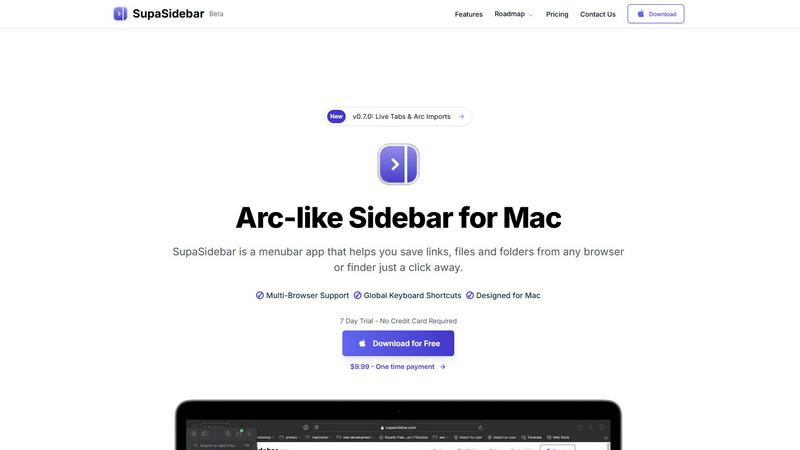
SupaSidebar streamlines your Mac experience with quick access to links, files, and folders from any browser or app.
Last updated: February 28, 2026
Visual Comparison
Outbid

SupaSidebar
Feature Comparison
Outbid
Instant Alerts
OutBid provides instant alerts, notifying users within seconds of a new job posting. This rapid notification system ensures that freelancers can act quickly, applying for jobs before most competitors even see them. By being among the first to apply, users significantly enhance their chances of getting noticed by potential clients.
AI Proposals
Each job alert comes with a tailored, AI-written proposal draft that aligns perfectly with the job description and the freelancer's skills. This feature allows users to copy, tweak, and submit proposals with minimal effort, making the application process not just faster but also more effective.
Smart Filtering
OutBid features a smart filtering system that allows freelancers to see only the jobs that are worth their time. Users can filter job listings by specific skills, budget constraints, experience level, and even quiet hours, ensuring that they focus on opportunities that best match their expertise and availability.
War Room Strategy Mode
In highly competitive job markets, having a strategic approach is essential. OutBid’s War Room Strategy Mode enables users to add custom instructions, regenerate proposals, and adjust their application tactics. This feature empowers freelancers to stand out in crowded job listings, increasing their likelihood of landing the job they desire.
SupaSidebar
Seamless Browser Integration
SupaSidebar is designed to work flawlessly with all major browsers, including Safari, Chrome, Firefox, Arc, and Brave. This integration ensures that users can save and access their favorite links and files from any browsing environment, providing a unified experience across platforms.
Global Keyboard Shortcuts
The application features customizable global keyboard shortcuts that facilitate quick actions. Users can save URLs or copy links with simple keystrokes, such as ⌘ + ⌃ + S for saving and ⌘ + ⌃ + C for copying. This feature significantly enhances productivity by reducing the time spent navigating through menus.
Recents Tracking
SupaSidebar automatically tracks and displays recently visited websites for up to 48 hours. This feature allows users to easily revisit sites they have accessed in the recent past, eliminating the hassle of searching through bookmarks or browser history.
Favorites and Organization
Users can pin their most important links and files at the top of the sidebar for quick access. This organization feature makes it easy to prioritize frequently used resources, ensuring that essential information is always just a click away.
Use Cases
Outbid
New Freelancers
New freelancers often struggle with writing compelling proposals and finding suitable job opportunities. OutBid simplifies this process by providing instant alerts and AI-generated proposals, enabling newcomers to quickly get accustomed to the platform and start applying for jobs without the stress of proposal writing.
Busy Professionals
For freelancers who are also juggling other commitments, such as full-time jobs or personal obligations, OutBid is a game changer. The tool's 24/7 monitoring and instant alerts mean that busy professionals can respond to job postings in real time without having to constantly check Upwork, thereby maximizing their productivity.
Experienced Freelancers
Experienced freelancers looking to streamline their application process will find immense value in OutBid. The AI proposals save time and effort, allowing them to apply to multiple jobs quickly. This efficiency can lead to increased job acquisition and more time to focus on delivering high-quality work.
Competitive Bidders
Freelancers who want to stay ahead in competitive job markets will benefit from OutBid's features like War Room Strategy Mode and Smart Filtering. These tools help them tailor their applications more strategically, ensuring they submit high-quality proposals that resonate with clients and set them apart from other applicants.
SupaSidebar
Efficient Resource Management
For busy professionals juggling multiple projects, SupaSidebar serves as a central hub for managing links, files, and folders. By organizing resources in one place, users can enhance their workflow and focus on their tasks without the distraction of a cluttered desktop.
Academic Research
Students conducting research can utilize SupaSidebar to save and organize links to academic articles, study materials, and important resources. The ability to quickly access these materials facilitates a more efficient study process, allowing students to concentrate on learning rather than searching.
Creative Projects
Content creators and designers can leverage SupaSidebar to manage inspiration sources, such as design references, articles, and tutorials. By keeping these resources organized, they can streamline their creative process and boost productivity when working on projects.
Collaborative Work
In team environments, SupaSidebar can be used to share links and resources among team members. By centralizing project-related materials, teams can improve communication and collaboration, ensuring everyone has access to the necessary information.
Overview
About Outbid
OutBid is a revolutionary tool tailored specifically for freelancers who aim to excel in the competitive landscape of the Upwork marketplace. Designed to provide a distinct advantage, OutBid continuously monitors job postings around the clock, ensuring freelancers receive instant notifications via Telegram. This feature allows users to apply for new job opportunities within seconds, enhancing their visibility to potential clients. At its core, OutBid combines speed with intelligence by offering AI-generated proposal drafts that are customized to reflect both the specific job requirements and the freelancer’s unique skill set. This not only simplifies the application process but also significantly boosts the chances of securing jobs. Ideal for freelancers at any stage, from novices grappling with the intricacies of proposal writing to seasoned professionals needing to optimize their time, OutBid empowers users to increase their job acquisition rates and maximize their earning potential, ultimately transforming the way they approach freelancing on Upwork.
About SupaSidebar
SupaSidebar is an innovative sidebar application designed specifically for Mac users, drawing inspiration from the Arc browser to deliver a powerful productivity tool. Its primary purpose is to enhance organization, streamline browsing speed, and foster a seamless user experience. Ideal for professionals, students, and anyone managing a plethora of links, files, and folders, SupaSidebar simplifies the digital landscape by providing quick access to essential resources. With support for all major browsers—including Safari, Chrome, Arc, Firefox, and Brave—users can effortlessly save URLs and manage their online content. The application boasts an intuitive interface complemented by global keyboard shortcuts, empowering users to navigate their workspace effortlessly. For instance, with just a simple press of ⌘ + ⌃ + S, users can save their current webpage, while ⌘ + ⌃ + C allows for quick copying of links. SupaSidebar not only keeps crucial links at your fingertips but also helps maintain focus, making it an invaluable asset for anyone looking to optimize their productivity and workflow.
Frequently Asked Questions
Outbid FAQ
How fast are the alerts?
The alerts from OutBid are incredibly fast, notifying users within seconds of a job being posted. This rapid response time allows freelancers to be among the first to apply, giving them a competitive edge over others who may check listings much later.
Do I need to be tech-savvy?
No, OutBid is designed for ease of use, even for those who may not be particularly tech-savvy. The setup process is straightforward, and alerts are sent via Telegram, a platform that many users find accessible and easy to navigate.
Can I customize the proposals?
Absolutely! OutBid’s AI-generated proposals are tailored to each job, and users can easily copy, tweak, and edit them before submission. This customization ensures that proposals reflect the freelancer's unique voice and approach.
Is this affiliated with Upwork?
OutBid operates independently and is not affiliated with Upwork. It is a tool designed to enhance the user experience on Upwork by providing timely job alerts and proposal assistance, helping freelancers to better navigate the platform.
SupaSidebar FAQ
Is SupaSidebar a browser extension?
No, SupaSidebar is a standalone menubar application designed specifically for Mac users. It integrates seamlessly with multiple browsers but operates independently from them.
Which browsers does SupaSidebar work with?
SupaSidebar supports all major browsers, including Safari, Chrome, Firefox, Arc, and Brave, enabling users to save and access links from any of these platforms.
What macOS version do I need?
SupaSidebar requires macOS 13 or later to function effectively. Ensure your system meets this requirement for the best experience.
Where is my data stored?
All data managed by SupaSidebar remains on your Mac, ensuring privacy and security. The application does not store your information on external servers, providing peace of mind to users concerned about data privacy.
Alternatives
Outbid Alternatives
OutBid is a cutting-edge productivity tool designed for freelancers operating in the competitive Upwork marketplace. By providing instant job alerts and AI-generated proposals through Telegram, OutBid allows users to apply swiftly and effectively to new job listings. This real-time engagement is crucial for freelancers who need to act promptly to secure opportunities and increase their chances of winning jobs. As users explore alternatives to OutBid, they often seek options that may better suit their budget, offer different features, or integrate more seamlessly with their existing workflows. When considering alternatives, it's essential to evaluate aspects such as user-friendliness, the efficiency of job alert systems, the quality of proposal generation, and overall compatibility with your freelance goals and needs.
SupaSidebar Alternatives
SupaSidebar is a sophisticated sidebar application designed for Mac users, enhancing their digital experience by providing quick access to links, files, and folders from any browser. As a productivity and management tool, it helps streamline workflows, especially for professionals and students who juggle multiple resources and need to maintain focus while browsing. Users often seek alternatives to SupaSidebar for various reasons, such as pricing, specific feature sets, or compatibility with different platforms. When searching for an alternative, it’s essential to consider factors like user interface, ease of integration with existing workflows, and the extent of features offered, ensuring that the new tool aligns with individual productivity needs and preferences.