
Project20x vs SVG to 3D
Side-by-side comparison to help you choose the right tool.

Project20x
Project20x delivers AI governance solutions that ensure your policies meet modern compliance and effectiveness.
Last updated: March 4, 2026
SVG to 3D
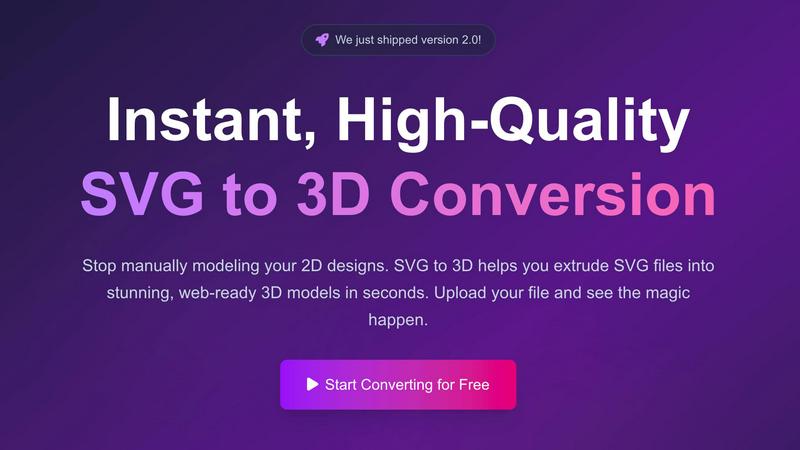
Evolve your 2D SVG designs into professional 3D models instantly and for free.
Last updated: February 28, 2026
Visual Comparison
Project20x

SVG to 3D
Feature Comparison
Project20x
Governance Layer
The Governance Layer employs a ten-step AI methodology to help lawmakers develop effective policies. By analyzing legislative texts, it ensures clarity and identifies potential conflicts, thereby streamlining the policy-making process.
Management Layer
Through the Management Layer, Project20x translates approved policies into automated workflows using "Rules as Code." This feature enables government agencies to implement efficient operational processes that reduce manual effort and improve service delivery.
Interface Layer
The Interface Layer is designed for citizens, providing them with 24/7 access to AI agents. These agents are trained on codified policies, allowing for seamless interactions and immediate assistance for public service inquiries.
Transparency and Accountability
Project20x prioritizes transparency and accountability in governmental operations. All activities on the platform are designed to be traceable and quantifiable, ensuring that citizens can hold their governments accountable while enjoying secure interactions.
SVG to 3D
Browser-Based Modeling Studio
This feature eliminates the need for software installation, representing a leap forward in accessibility. You can perform complex 3D modeling directly in your web browser with a real-time preview. It goes beyond simple extrusion, allowing for fine-tuned control over critical parameters like model thickness, bevel depth and complexity, and the application of advanced PBR (Physically-Based Rendering) materials. This evolution from a basic converter to an in-browser studio enables professional-grade detailing without ever leaving your workflow.
Web-Optimized GLB/GLTF Export
Specializing in outputs for modern web development, this tool generates lightweight, high-performance GLB and GLTF files. These exports are meticulously optimized to be dropped directly into projects using popular frameworks like Three.js or React Three Fiber. This feature is designed for developers in their growth phase, who need to quickly integrate 3D models without dealing with bloated files or complex optimization steps, making the path from Figma to an interactive 3D web element seamless.
3D-Print Ready STL Generation
Catering to the growth of maker culture, SVG to 3D produces clean, watertight STL files ready for 3D printing. The tool ensures the geometry is optimized for fabrication, avoiding the messy and non-manifold edges common in basic converters. This allows designers and creators to progress from a digital 2D asset to a physical 3D object without requiring intermediate, complex CAD software, streamlining the entire prototyping and creation pipeline.
Privacy-First Local Processing
In an era of growing data sensitivity, this feature represents a mature step in user-centric design. When possible, your SVG files are processed entirely locally within your browser, with no upload to external servers. This ensures complete privacy and security for your proprietary designs and logos, allowing professionals and companies to use the tool with confidence at any stage of their project development.
Use Cases
Project20x
Policy Development
With Project20x, lawmakers can leverage AI to analyze existing legislative texts, facilitating the development of clearer and more effective policies. This use case empowers government officials to create regulations that better serve their constituents.
Automated Workflow Implementation
Government agencies can utilize the Management Layer to transform approved policies into automated workflows. This leads to significant efficiency gains and allows agencies to respond more rapidly to citizen needs.
Citizen Engagement
The Interface Layer enables citizens to engage with government services anytime, anywhere. By accessing AI agents trained in codified policies, citizens can resolve inquiries and access services without unnecessary delays.
Regulatory Compliance Monitoring
Project20x helps government agencies monitor compliance with regulations through automated checks and balances. This use case contributes to enhanced oversight and ensures that policies are upheld effectively.
SVG to 3D
Creating Interactive Web Graphics
Web developers and digital designers use SVG to 3D to rapidly evolve static website elements into engaging 3D experiences. Converting logos, icons, and UI components from SVG to GLB allows for the creation of interactive models that enhance user engagement and visual appeal, seamlessly integrating with JavaScript libraries to bring a new dimension of professionalism to online portfolios, product showcases, and landing pages.
Prototyping for 3D Printing
This use case accelerates the journey from concept to physical object. Hobbyists, engineers, and artists can transform 2D vector drawings, logos, or custom text into printable 3D models. By exporting a clean STL file, users bypass the steep learning curve of traditional CAD modeling, enabling faster iteration and prototyping for custom parts, artistic pieces, or personalized gifts directly from their initial designs.
Enhancing UI/UX Design Presentations
UI/UX designers leverage this tool to add depth and realism to their mockups and presentations. By converting interface elements from tools like Figma into 3D models, they can create more compelling and realistic prototypes. This evolution in presentation style helps stakeholders better visualize the final product, effectively communicating concepts for buttons, cards, and other components with realistic lighting and materials.
Developing Game Assets and Visualizations
Indie game developers and data visualization specialists find value in quickly generating base 3D meshes from vector art. Simple icons, environment markers, or stylized text can be converted and extruded into 3D models that serve as starting points for more detailed game assets or as clean, performant models for real-time data visualizations and infographics, speeding up the initial asset creation phase.
Overview
About Project20x
Project20x is an innovative AI-driven platform designed to revolutionize governmental operations by translating complex regulatory frameworks into user-friendly, actionable digital processes. Aimed at government agencies, lawmakers, and citizens, Project20x serves as a vital bridge between policy creation and public engagement. The platform operates through three distinct layers: Governance, Management, and Interface. The Governance Layer employs a sophisticated ten-step AI methodology that assists lawmakers in crafting sound policies by analyzing legislative texts for clarity and potential conflicts. The Management Layer transforms these approved policies into functional code, implementing "Rules as Code" to create efficient automated workflows. Finally, the Interface Layer offers citizens 24/7 access to AI agents trained on the codified policies, thereby streamlining public service interactions. With an unwavering commitment to transparency, accountability, and security, Project20x ensures that all governmental activities are traceable, quantifiable, and subject to rigorous human oversight, fostering a more engaged and informed citizenry.
About SVG to 3D
SVG to 3D represents a significant evolution in the democratization of 3D content creation. Born from the frustration of needing heavyweight, complex software for simple tasks, this tool marks a pivotal stage in the growth of digital design workflows. It is a browser-based platform engineered to instantly transform 2D SVG vector graphics into high-quality, production-ready 3D models. The product's core mission is to streamline and accelerate the process, eliminating the traditional barrier of specialized 3D modeling knowledge. It serves a diverse community of professionals in their growth journey: web developers seeking to add interactive 3D elements to sites, UI/UX designers wanting to present concepts with depth, and 3D printing enthusiasts looking to bring digital art into the physical world. By focusing on a single, powerful transformation—SVG to 3D—it provides a faster, more accessible, and more efficient solution, empowering users to progress from a flat design to a tangible, three-dimensional asset in a matter of seconds, entirely within their browser.
Frequently Asked Questions
Project20x FAQ
What types of government agencies can benefit from Project20x?
Project20x is designed for a wide range of government agencies, including federal, state, and local entities. Its adaptable framework makes it suitable for lawmakers, regulatory bodies, and service-oriented agencies.
How does Project20x ensure data security and privacy?
Project20x employs robust security measures to protect sensitive data. All interactions on the platform are encrypted, and user access is strictly controlled, ensuring the confidentiality of both governmental and citizen information.
Can citizens provide feedback on policies through Project20x?
Yes, Project20x incorporates mechanisms for citizens to provide feedback on policies and services. This engagement fosters a collaborative environment where public input can influence future legislative developments.
Is Project20x compliant with existing governmental regulations?
Project20x is built to comply with both national and local regulations. The platform's Governance Layer ensures that all policies developed using the system are aligned with legal standards and best practices.
SVG to 3D FAQ
What file formats can I export my 3D model to?
SVG to 3D supports exporting your creations in multiple industry-standard formats to fit your project's growth stage. You can download your model as a GLB or GLTF file for web and real-time applications, as an OBJ file for broader 3D software compatibility, or as an STL file ready for 3D printing. This flexibility ensures your asset can progress into any pipeline.
Is there a file size limit for the SVG upload?
Yes, to ensure fast processing and a smooth experience for all users, there is a maximum file size limit. Currently, you can upload SVG files up to 5 MB. For complex designs, we recommend optimizing your SVG file beforehand to ensure the best and quickest conversion results as you scale your projects.
Do I need to create an account to use the tool?
No, you do not. SVG to 3D is committed to removing barriers to entry. You can start converting your files immediately without any registration or sign-up process. This allows for instant experimentation and growth in your 3D modeling capabilities, completely free and with no commitment required.
How does the tool handle the privacy of my designs?
Privacy is a core principle. The tool is designed to process your files locally within your browser whenever possible. This means your SVG data and the resulting 3D model are never sent to our servers unless necessary for complex processing, ensuring your proprietary designs and work-in-progress concepts remain secure and confidential throughout your creative evolution.
Alternatives
Project20x Alternatives
Project20x is an AI-driven platform that offers comprehensive governance solutions aimed at enhancing governmental operations. By transforming complex regulatory frameworks into accessible digital processes, it serves a diverse audience including government agencies, lawmakers, and citizens. The platform's innovative approach is structured around three key layers: Governance, Management, and Interface, each designed to improve policy creation and public engagement. Users often seek alternatives to Project20x for various reasons, including pricing, specific feature sets, or compatibility with existing platforms. When exploring alternatives, it's essential to consider factors such as the ease of use, scalability, integration capabilities, and the level of support provided. A careful assessment of these criteria can lead to a solution that not only meets current needs but also supports future growth and evolution.
SVG to 3D Alternatives
SVG to 3D is a specialized AI assistant designed to streamline the creative workflow by instantly converting 2D vector graphics into 3D models. It belongs to the category of design automation tools, helping users bypass the steep learning curve of traditional 3D software for simple tasks like extruding logos or icons. Users often explore alternatives for various reasons. Some may seek different pricing models, require more advanced modeling features, or need integration with specific platforms beyond web development and 3D printing. Others might be looking for offline capabilities or a different balance between simplicity and control. When evaluating other tools, consider your primary goal. Is it for rapid web prototyping, creating detailed models for animation, or preparing files for manufacturing? The ideal alternative should match your technical skill level, output format needs, and the complexity of the 3D effects you wish to achieve, ensuring it supports your project's growth stage.