
SupaSidebar vs Typoro
Side-by-side comparison to help you choose the right tool.

SupaSidebar
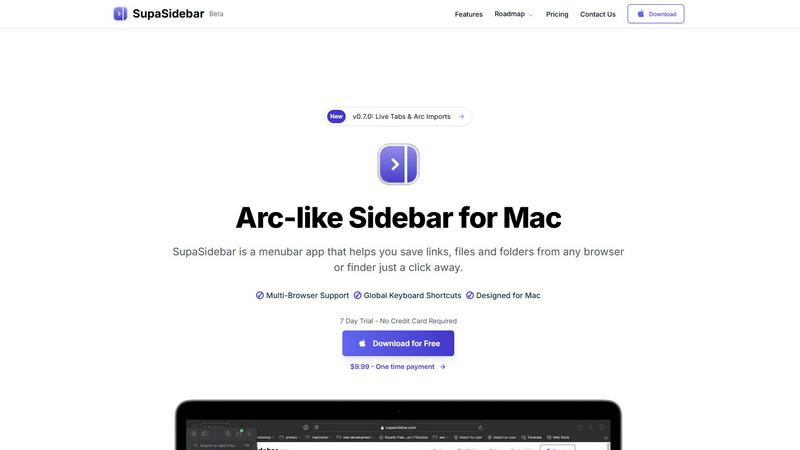
SupaSidebar streamlines your Mac experience with quick access to links, files, and folders from any browser or app.
Last updated: February 28, 2026

Typoro
Typoro's AI agents automate LinkedIn posts, saving time and boosting your brand's engagement effortlessly.
Last updated: March 1, 2026
Visual Comparison
SupaSidebar
Typoro

Feature Comparison
SupaSidebar
Seamless Browser Integration
SupaSidebar is designed to work flawlessly with all major browsers, including Safari, Chrome, Firefox, Arc, and Brave. This integration ensures that users can save and access their favorite links and files from any browsing environment, providing a unified experience across platforms.
Global Keyboard Shortcuts
The application features customizable global keyboard shortcuts that facilitate quick actions. Users can save URLs or copy links with simple keystrokes, such as ⌘ + ⌃ + S for saving and ⌘ + ⌃ + C for copying. This feature significantly enhances productivity by reducing the time spent navigating through menus.
Recents Tracking
SupaSidebar automatically tracks and displays recently visited websites for up to 48 hours. This feature allows users to easily revisit sites they have accessed in the recent past, eliminating the hassle of searching through bookmarks or browser history.
Favorites and Organization
Users can pin their most important links and files at the top of the sidebar for quick access. This organization feature makes it easy to prioritize frequently used resources, ensuring that essential information is always just a click away.
Typoro
AI-Powered Content Generation
Typoro's advanced AI agents research, write, and analyze your LinkedIn posts. This feature ensures that your content is not only relevant but also engaging and tailored to your audience, allowing you to focus on your core business.
Topic Library Organization
With Typoro's Topic Library, you can categorize your content ideas into themes. This organized approach allows the AI to access your stored ideas and generate drafts automatically, providing a steady stream of content without the hassle of starting from scratch.
Performance Tracking and Insights
Typoro offers robust analytics that measure post engagement and follower growth. This feature allows you to refine your content strategy based on real-time data, helping you understand what works best for your audience.
Seamless Posting and Scheduling
Schedule your entire week's worth of posts in just 20 minutes. Typoro automates the posting process, ensuring you maintain consistency and reach your audience at optimal times without the need for manual updates.
Use Cases
SupaSidebar
Efficient Resource Management
For busy professionals juggling multiple projects, SupaSidebar serves as a central hub for managing links, files, and folders. By organizing resources in one place, users can enhance their workflow and focus on their tasks without the distraction of a cluttered desktop.
Academic Research
Students conducting research can utilize SupaSidebar to save and organize links to academic articles, study materials, and important resources. The ability to quickly access these materials facilitates a more efficient study process, allowing students to concentrate on learning rather than searching.
Creative Projects
Content creators and designers can leverage SupaSidebar to manage inspiration sources, such as design references, articles, and tutorials. By keeping these resources organized, they can streamline their creative process and boost productivity when working on projects.
Collaborative Work
In team environments, SupaSidebar can be used to share links and resources among team members. By centralizing project-related materials, teams can improve communication and collaboration, ensuring everyone has access to the necessary information.
Typoro
For Founders and Entrepreneurs
Founders and entrepreneurs can leverage Typoro to establish their personal brand on LinkedIn. By automating content creation, they can focus on business growth while maintaining a consistent online presence.
For Busy Professionals
Professionals with tight schedules can benefit from Typoro's ability to convert voice notes and scattered ideas into polished posts. This feature streamlines their content creation process, making it easier to engage with their network.
For Marketing Teams
Marketing teams can use Typoro to collaborate on content ideas, track performance metrics, and optimize posts for engagement. This centralized approach enhances team productivity and content quality.
For Content Creators
Content creators can utilize Typoro to refine their raw ideas into engaging LinkedIn content. By using AI-driven insights, they can maximize their reach and interaction, ensuring their work resonates with their audience.
Overview
About SupaSidebar
SupaSidebar is an innovative sidebar application designed specifically for Mac users, drawing inspiration from the Arc browser to deliver a powerful productivity tool. Its primary purpose is to enhance organization, streamline browsing speed, and foster a seamless user experience. Ideal for professionals, students, and anyone managing a plethora of links, files, and folders, SupaSidebar simplifies the digital landscape by providing quick access to essential resources. With support for all major browsers—including Safari, Chrome, Arc, Firefox, and Brave—users can effortlessly save URLs and manage their online content. The application boasts an intuitive interface complemented by global keyboard shortcuts, empowering users to navigate their workspace effortlessly. For instance, with just a simple press of ⌘ + ⌃ + S, users can save their current webpage, while ⌘ + ⌃ + C allows for quick copying of links. SupaSidebar not only keeps crucial links at your fingertips but also helps maintain focus, making it an invaluable asset for anyone looking to optimize their productivity and workflow.
About Typoro
Typoro is an innovative LinkedIn writing tool specifically crafted for busy professionals who seek to maintain a vibrant online presence without the burden of manual content creation. By transforming your ideas, emails, notes, and even voice recordings into well-structured and engaging posts, Typoro resonates with your unique voice and tone. The platform offers a dynamic Topic Library where all your content ideas are organized by themes, allowing Typoro’s AI agents to generate new drafts automatically. This feature not only saves you hours of writing each week but also ensures your LinkedIn profile remains active and engaging. Tailored for founders, entrepreneurs, and professionals aiming to elevate their personal brands, Typoro provides an effortless solution to publish and track performance metrics, all integrated within a single platform. With plans starting at just $19 per month, it's an accessible investment for anyone serious about enhancing their LinkedIn presence.
Frequently Asked Questions
SupaSidebar FAQ
Is SupaSidebar a browser extension?
No, SupaSidebar is a standalone menubar application designed specifically for Mac users. It integrates seamlessly with multiple browsers but operates independently from them.
Which browsers does SupaSidebar work with?
SupaSidebar supports all major browsers, including Safari, Chrome, Firefox, Arc, and Brave, enabling users to save and access links from any of these platforms.
What macOS version do I need?
SupaSidebar requires macOS 13 or later to function effectively. Ensure your system meets this requirement for the best experience.
Where is my data stored?
All data managed by SupaSidebar remains on your Mac, ensuring privacy and security. The application does not store your information on external servers, providing peace of mind to users concerned about data privacy.
Typoro FAQ
How does Typoro ensure my unique voice is maintained?
Typoro's AI agents are designed to learn and adapt to your specific tone and style. By analyzing your past posts and content preferences, they can generate text that reflects your unique voice consistently.
Can I schedule posts in advance with Typoro?
Yes, Typoro allows you to schedule your posts in advance. You can plan your entire week's worth of content in just 20 minutes, ensuring you maintain a regular posting schedule without manual effort.
What type of content can Typoro create?
Typoro can transform various forms of input, including ideas, emails, notes, and voice recordings, into engaging LinkedIn posts. This versatility makes it suitable for different content types and professional needs.
Is Typoro approved by LinkedIn?
Absolutely! Typoro is officially approved and integrated with LinkedIn, allowing you to publish posts, view statistics, and track growth directly from your Typoro account, making it a reliable tool for professionals.
Alternatives
SupaSidebar Alternatives
SupaSidebar is a sophisticated sidebar application designed for Mac users, enhancing their digital experience by providing quick access to links, files, and folders from any browser. As a productivity and management tool, it helps streamline workflows, especially for professionals and students who juggle multiple resources and need to maintain focus while browsing. Users often seek alternatives to SupaSidebar for various reasons, such as pricing, specific feature sets, or compatibility with different platforms. When searching for an alternative, it’s essential to consider factors like user interface, ease of integration with existing workflows, and the extent of features offered, ensuring that the new tool aligns with individual productivity needs and preferences.
Typoro Alternatives
Typoro is an innovative AI-powered writing tool specifically designed for LinkedIn, aimed at helping busy professionals maintain an engaging online presence without the exhaustive effort of manual content creation. It excels in transforming various inputs like ideas, notes, and voice recordings into compelling posts that reflect your unique voice. With features like a Topic Library and built-in analytics, Typoro caters to entrepreneurs and professionals looking to enhance their personal brand on a key social platform. Despite its robust features, users often seek alternatives for various reasons, including pricing, specific functionalities, or compatibility with their workflow. When considering an alternative to Typoro, it's essential to evaluate the tool's ease of use, integration capabilities with your existing platforms, and the specific features that align with your content creation goals. These factors will ensure you choose a tool that not only meets your immediate needs but also supports your long-term growth and engagement objectives.