
DigitalMagicWand vs OnUML
Side-by-side comparison to help you choose the right tool.

DigitalMagicWand
DigitalMagicWand empowers you to effortlessly create, transform, and analyze visuals, audio, video, and text with cutting-edge AI technology.
Last updated: March 18, 2026

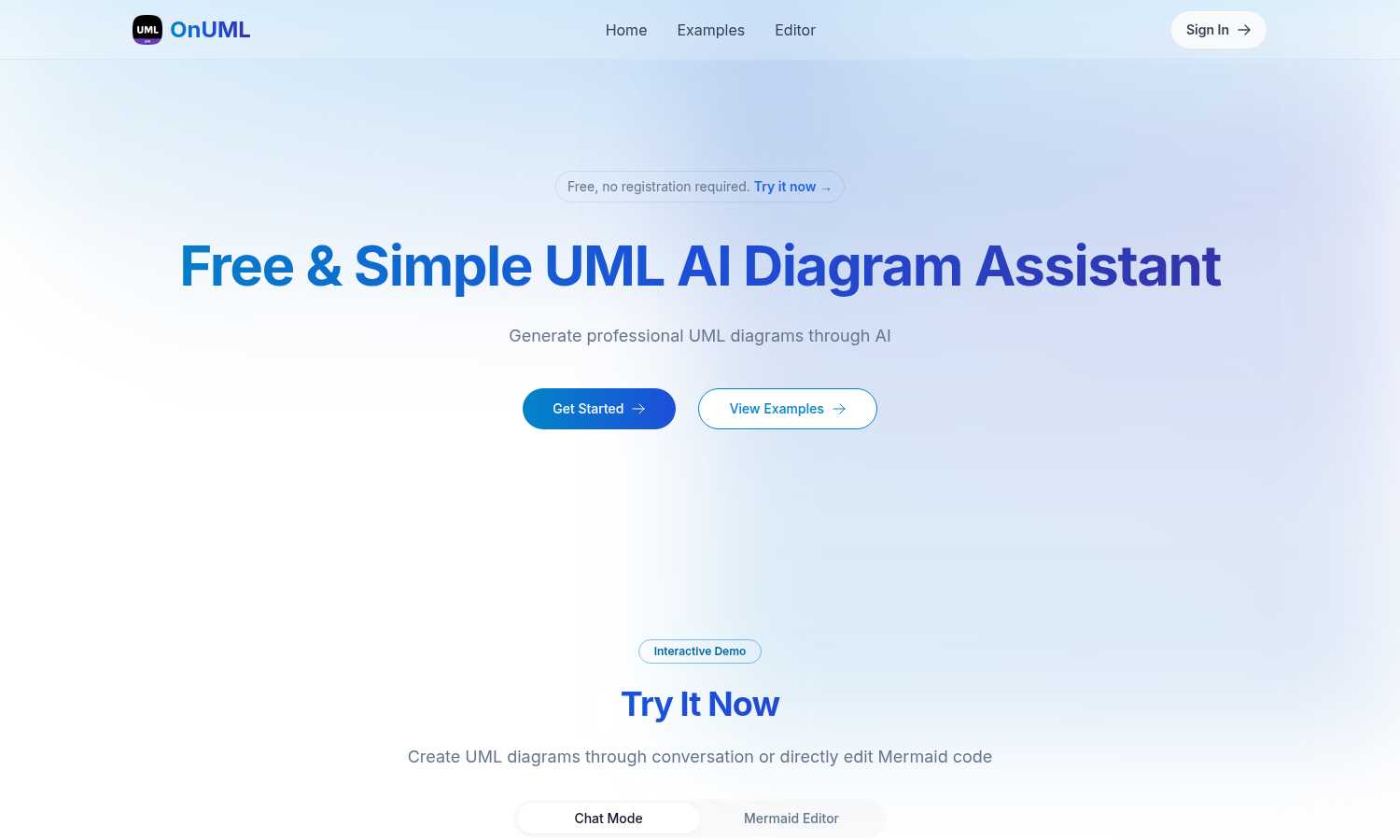
OnUML simplifies UML diagram creation with AI-driven chat and direct Mermaid code editing for instant, professional.
Last updated: March 1, 2026
Visual Comparison
DigitalMagicWand

OnUML
Feature Comparison
DigitalMagicWand
Accurate AI Detector for Text
This feature allows users to quickly and confidently determine whether a piece of text was authored by a human or generated by AI. With a simple click, you receive clear confidence scores that eliminate guesswork and uncertainty, saving hours of manual review and enhancing decision-making processes.
Undetectable AI Text Humanizer
Transform machine-generated text into natural human writing with this unmatched AI humanizer. By employing proprietary linguistic algorithms, it removes statistical patterns that trigger AI detectors while maintaining the original message, ensuring authenticity across various contexts like academic and creative writing.
Digital Ear™: Convert Piano Tracks to MIDI
Digital Ear™ specializes in accurate audio-to-MIDI transcription, now tailored specifically for piano tracks. This feature captures the nuances of solo piano performances, allowing musicians to convert their works into MIDI with unprecedented precision, thus facilitating easier composition and arrangement.
UnMixIt™ Pro: Stems for Musicians & DJs
UnMixIt™ Pro empowers music producers and DJs by allowing them to isolate vocals, drums, bass, and more with studio-grade precision. This tool provides the creative freedom necessary for remixing, crafting mashups, or restoring archival content, making it an essential resource for audio professionals.
OnUML
AI Smart Chat
The AI Smart Chat feature allows users to describe their requirements in natural language, generating professional UML diagrams instantly. This eliminates the need for technical jargon, making it accessible to everyone.
Smart Suggestions
OnUML provides smart suggestions through its intuitive interface, offering design recommendations that enhance the UML creation process. This feature helps users refine their diagrams and optimize their designs.
Multi-diagram Support
With multi-diagram support, users can generate various types of UML diagrams, including class diagrams, sequence diagrams, and more. The platform intelligently recommends the appropriate diagram type based on user input.
Real-time Rendering
OnUML offers a WYSIWYG (What You See Is What You Get) editing experience with real-time rendering. As users create diagrams, they can see instant updates, ensuring that their visualizations are accurate and professional.
Use Cases
DigitalMagicWand
Content Creation for Writers
Writers can leverage DigitalMagicWand’s AI Text Tools to enhance their storytelling. The Accurate AI Detector allows authors to verify the authenticity of their drafts, while the Undetectable AI Text Humanizer aids in refining machine-generated content, ensuring it resonates with their unique voice.
Music Production and Remixing
Musicians can use UnMixIt™ Pro to isolate different elements of their tracks, providing the flexibility to create new music or remixes. This feature is particularly beneficial for DJs looking to craft unique mashups or for producers needing clean stems for their projects.
Visual Content Development for Marketers
Marketers can utilize the AI Image Editor to create compelling visuals that grab attention. By simply typing their desired changes, they can achieve professional-quality images that enhance their campaigns, all without needing advanced design skills.
Educational Use for Students and Teachers
Students and teachers can benefit from DigitalMagicWand’s diverse tools for learning and teaching. The AI Detector is perfect for maintaining academic integrity, while the text and image generation features can aid in creating engaging educational materials, making lessons more interactive.
OnUML
Project Planning
OnUML is perfect for project planning, allowing teams to visualize workflows and processes. By creating UML diagrams, project managers can effectively communicate project requirements and timelines.
Software Development
Developers can use OnUML to design software architecture, illustrating system interactions and component relationships. This visual representation aids in better understanding and implementation of complex systems.
Educational Purposes
Educators and students can leverage OnUML for learning and teaching UML concepts. The platform simplifies the diagramming process, making it easier for students to grasp essential software engineering principles.
Collaborative Design
OnUML facilitates collaborative design sessions where multiple stakeholders can contribute ideas and feedback in real-time. This enhances team collaboration, ensuring everyone is aligned with the project's vision.
Overview
About DigitalMagicWand
DigitalMagicWand™ is an innovative online platform designed to empower users with AI-driven tools that revolutionize how they create, edit, and transform digital content. Catering to a diverse audience, from professional content creators to casual users, DigitalMagicWand offers a comprehensive suite of applications for image, audio, video, and text processing. Its primary value proposition lies in harnessing the latest advancements in artificial intelligence technology to simplify and enhance the creative process. Users can effortlessly elevate their projects, whether they are enhancing visuals, generating music, or crafting compelling narratives. With DigitalMagicWand, creativity knows no bounds, and the platform sets the stage for an exciting digital evolution.
About OnUML
OnUML is an innovative AI-powered platform that revolutionizes the way UML diagrams are created, making it accessible to developers, project managers, and designers alike. By allowing users to express their requirements in natural language, OnUML removes the complexities traditionally associated with diagramming tools. The platform's core functionality is built on the robust Mermaid engine, a JavaScript-based diagramming tool that enables users to generate high-quality diagrams effortlessly. OnUML enhances productivity and creativity, enabling professionals to transform their ideas into polished diagrams in just a few simple steps. The platform offers real-time collaboration features, ensuring that teams can work together effectively, regardless of their technical expertise. Whether you are a novice or an expert, OnUML equips you with the necessary tools to elevate your diagramming capabilities, driving clarity in communication and project planning.
Frequently Asked Questions
DigitalMagicWand FAQ
What types of content can I create with DigitalMagicWand?
DigitalMagicWand allows you to create and edit images, audio, video, and text content. Its suite of AI-powered tools provides flexibility for various creative projects, from music production to graphic design.
Is DigitalMagicWand suitable for beginners?
Yes, DigitalMagicWand is designed for users of all skill levels. Its intuitive interface and clear instructions make it easy for beginners to start creating high-quality content without any prior experience.
How does the AI technology work in DigitalMagicWand?
DigitalMagicWand employs advanced AI algorithms to analyze and process content across different media types. These technologies enhance user experience and output quality, ensuring professional results with minimal effort.
Can I use DigitalMagicWand for commercial projects?
Absolutely! DigitalMagicWand’s tools are not only for personal use but are also suitable for commercial projects, making them ideal for freelancers, agencies, and businesses looking to enhance their digital content offerings.
OnUML FAQ
Will my chat content be used for AI training?
No, your chat content will not be used for AI training. OnUML prioritizes user privacy and ensures that your data remains confidential.
Are there any usage limits?
OnUML is free to use with no registration required. There may be certain limitations on features for unregistered users, but the platform is designed to be accessible to everyone.
What types of UML diagrams are supported?
OnUML supports a wide range of UML diagrams, including class diagrams, sequence diagrams, activity diagrams, and state diagrams, among others. This versatility caters to various modeling needs.
How can I save my diagrams?
Users can easily save their diagrams by exporting them in multiple formats, including PNG and SVG. This feature ensures that diagrams can be shared and integrated into documentation seamlessly.
Alternatives
DigitalMagicWand Alternatives
DigitalMagicWand is an innovative online platform that harnesses the power of artificial intelligence to provide a comprehensive suite of tools for visual, audio, video, and text processing. As an AI assistant, it caters to users seeking to enhance and create digital content with cutting-edge technology, streamlining the creative process and elevating the quality of their work. However, users often explore alternatives due to various factors such as pricing, specific feature sets, or compatibility with their preferred platforms. When searching for an alternative, it is essential to consider aspects like ease of use, the range of features offered, and whether the tool aligns with individual project needs. This ensures that users can find a solution that not only meets their expectations but also supports their growth and creative evolution.
OnUML Alternatives
OnUML is an AI-powered platform that simplifies the process of creating UML diagrams, catering to developers, project managers, and designers. By allowing users to articulate their design ideas in natural language, OnUML redefines traditional diagramming, making it more accessible and efficient. Users often seek alternatives for various reasons, including pricing, specific feature sets, or compatibility with their existing workflows. When evaluating alternatives, it’s crucial to consider the ease of use, range of diagram types supported, collaboration features, and overall flexibility to ensure the chosen tool aligns with your project needs and enhances productivity.