
dmaya vs OnUML
Side-by-side comparison to help you choose the right tool.

dmaya
dMaya is an AI design platform that streamlines UI creation, client collaboration, and code export for teams and agencies.
Last updated: April 13, 2026

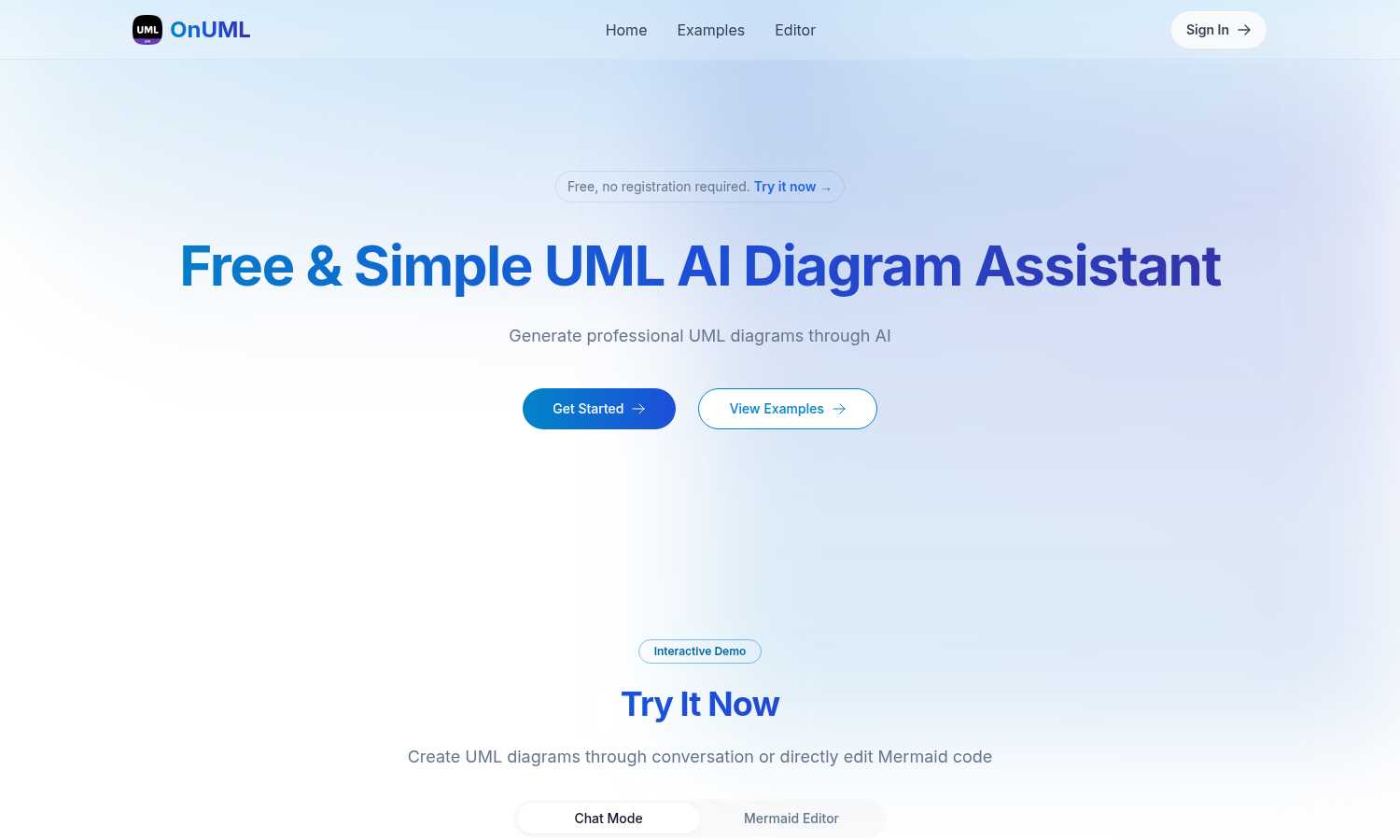
OnUML simplifies UML diagram creation with AI-driven chat and direct Mermaid code editing for instant, professional.
Last updated: March 1, 2026
Visual Comparison
dmaya
OnUML
Feature Comparison
dmaya
AI-Powered Design Generation
dMaya harnesses the power of AI to generate production-ready UI designs based on natural language descriptions. This feature eliminates hours of manual design work, allowing users to receive complete layouts and responsive variants in mere seconds.
Multi-Screen Canvas
The platform offers an infinite canvas where users can simultaneously work across desktop and mobile frames. This feature allows for intuitive organization and manipulation of screens, similar to tools like Figma, but with the added advantage of AI-assisted design.
Built for Teams & Collaboration
Collaboration is streamlined in dMaya, enabling users to invite team members, share projects with clients, and leave comments in real time. Role-based access ensures that everyone involved can contribute effectively while maintaining focus on their specific tasks.
Conversational Design Iteration
Users can engage in natural language conversations with the AI to refine their designs. This feature allows for real-time updates, such as changing colors, layout adjustments, or adding new sections, making the design process more interactive and efficient.
OnUML
AI Smart Chat
The AI Smart Chat feature allows users to describe their requirements in natural language, generating professional UML diagrams instantly. This eliminates the need for technical jargon, making it accessible to everyone.
Smart Suggestions
OnUML provides smart suggestions through its intuitive interface, offering design recommendations that enhance the UML creation process. This feature helps users refine their diagrams and optimize their designs.
Multi-diagram Support
With multi-diagram support, users can generate various types of UML diagrams, including class diagrams, sequence diagrams, and more. The platform intelligently recommends the appropriate diagram type based on user input.
Real-time Rendering
OnUML offers a WYSIWYG (What You See Is What You Get) editing experience with real-time rendering. As users create diagrams, they can see instant updates, ensuring that their visualizations are accurate and professional.
Use Cases
dmaya
Agency Workflows
Agencies can leverage dMaya to generate design concepts during discovery calls, allowing them to present multiple design directions to stakeholders within hours instead of weeks. This accelerates client engagement and decision-making.
Product Development
Product teams can utilize dMaya to explore various UI directions before committing engineering resources. This helps in aligning design with product vision, ensuring that the final output reflects the intended user experience.
Freelance Projects
Freelancers can take on more projects without extending their working hours. By using dMaya, they can deliver high-quality designs quickly, enabling them to increase their workload while maintaining a balanced schedule.
Client Presentations
Clients benefit from dMaya's interactive preview feature, which allows them to review designs through a simple link without needing an account. This facilitates instant feedback and approval, drastically reducing the time from design to delivery.
OnUML
Project Planning
OnUML is perfect for project planning, allowing teams to visualize workflows and processes. By creating UML diagrams, project managers can effectively communicate project requirements and timelines.
Software Development
Developers can use OnUML to design software architecture, illustrating system interactions and component relationships. This visual representation aids in better understanding and implementation of complex systems.
Educational Purposes
Educators and students can leverage OnUML for learning and teaching UML concepts. The platform simplifies the diagramming process, making it easier for students to grasp essential software engineering principles.
Collaborative Design
OnUML facilitates collaborative design sessions where multiple stakeholders can contribute ideas and feedback in real-time. This enhances team collaboration, ensuring everyone is aligned with the project's vision.
Overview
About dmaya
dMaya is an innovative design platform tailored for agencies, teams, and freelancers who prioritize the design phase before diving into code. Unlike conventional AI tools that focus solely on generating code, dMaya emphasizes the importance of visual design, allowing users to create professional UI designs from simple text descriptions. Whether you're crafting a SaaS dashboard, an e-commerce workflow, or a mobile application, dMaya swiftly produces polished screens in seconds. Users can engage in a real-time conversation with an AI agent to refine their designs, making instantaneous adjustments to colors, layouts, typography, and content. This design-first approach ensures that teams can align their visions and catch potential issues early in the process, significantly speeding up the workflow. Once designs are approved, exporting them as clean HTML, CSS, and JavaScript code is seamless, enabling efficient handoff to developers. With dMaya, the review cycle that traditionally took days is condensed into mere minutes, empowering teams to present, approve, and ship their projects with confidence.
About OnUML
OnUML is an innovative AI-powered platform that revolutionizes the way UML diagrams are created, making it accessible to developers, project managers, and designers alike. By allowing users to express their requirements in natural language, OnUML removes the complexities traditionally associated with diagramming tools. The platform's core functionality is built on the robust Mermaid engine, a JavaScript-based diagramming tool that enables users to generate high-quality diagrams effortlessly. OnUML enhances productivity and creativity, enabling professionals to transform their ideas into polished diagrams in just a few simple steps. The platform offers real-time collaboration features, ensuring that teams can work together effectively, regardless of their technical expertise. Whether you are a novice or an expert, OnUML equips you with the necessary tools to elevate your diagramming capabilities, driving clarity in communication and project planning.
Frequently Asked Questions
dmaya FAQ
What types of designs can I create with dMaya?
dMaya allows users to create a variety of designs, including SaaS dashboards, e-commerce flows, and mobile applications. You can describe your vision in plain language, and the AI will generate production-ready UI designs.
How does the design iteration process work?
With dMaya, you can chat with an AI agent to refine your designs in real time. You can request changes such as color adjustments, layout swaps, and typography updates, allowing for a fluid and interactive design process.
Can clients provide feedback on designs?
Yes, dMaya enables you to share polished, interactive previews with clients through a single link. Clients can leave feedback directly, making the review process efficient and straightforward.
What do I do once my design is approved?
Once your design is approved, you can export it as clean HTML, CSS, and JavaScript code. You can then hand off this code to any coding agent or team member to build the design in your chosen framework, such as React or Flutter.
OnUML FAQ
Will my chat content be used for AI training?
No, your chat content will not be used for AI training. OnUML prioritizes user privacy and ensures that your data remains confidential.
Are there any usage limits?
OnUML is free to use with no registration required. There may be certain limitations on features for unregistered users, but the platform is designed to be accessible to everyone.
What types of UML diagrams are supported?
OnUML supports a wide range of UML diagrams, including class diagrams, sequence diagrams, activity diagrams, and state diagrams, among others. This versatility caters to various modeling needs.
How can I save my diagrams?
Users can easily save their diagrams by exporting them in multiple formats, including PNG and SVG. This feature ensures that diagrams can be shared and integrated into documentation seamlessly.
Alternatives
dmaya Alternatives
dMaya is an innovative AI vibe design platform tailored for agencies, teams, and freelancers in the design space. It streamlines the UI design process by allowing users to generate professional designs from text descriptions, facilitating quick iterations and client approvals. This platform enhances collaboration and efficiency, making it an essential tool for those who want to bridge the gap between design and development. Users often seek alternatives to dMaya for various reasons, such as exploring different pricing structures, specific feature sets, or compatibility with existing workflows and tools. When looking for an alternative, it is important to consider factors like ease of use, the extent of AI capabilities, integration with other platforms, and the overall design flexibility. Finding a solution that aligns with your team’s specific needs can enhance productivity and creative output.
OnUML Alternatives
OnUML is an AI-powered platform that simplifies the process of creating UML diagrams, catering to developers, project managers, and designers. By allowing users to articulate their design ideas in natural language, OnUML redefines traditional diagramming, making it more accessible and efficient. Users often seek alternatives for various reasons, including pricing, specific feature sets, or compatibility with their existing workflows. When evaluating alternatives, it’s crucial to consider the ease of use, range of diagram types supported, collaboration features, and overall flexibility to ensure the chosen tool aligns with your project needs and enhances productivity.